Solutions / Cloud accounts
Cloud security posture for AWS, Azure and GCP, scored against CIS Benchmarks
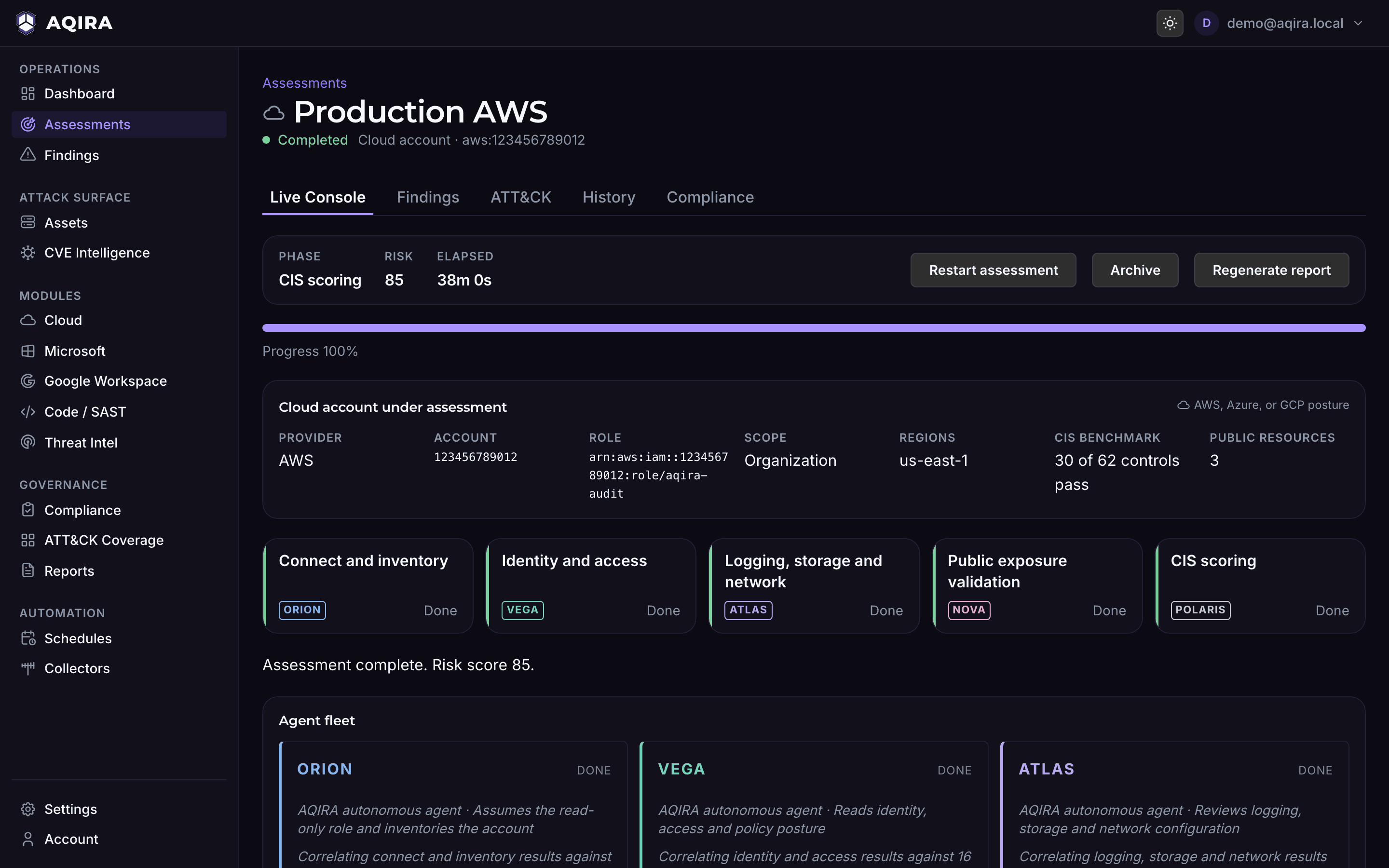
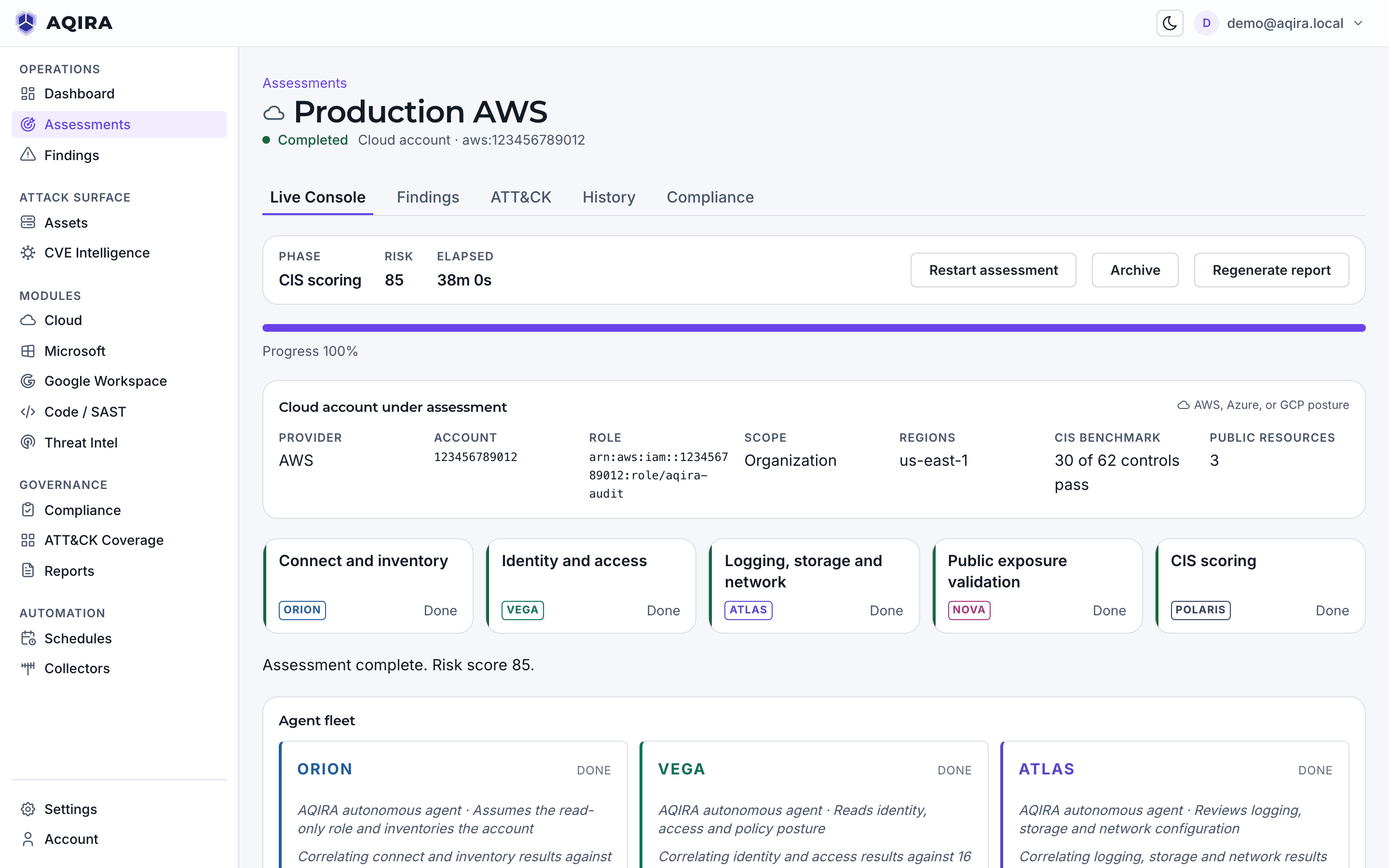
With a read-only role, AQIRA inventories the account, reads identity, logging, storage and network configuration, and validates internet exposure with benign proof. Nothing is changed.
- You provide
- AWS, Azure or GCP
- Intensity
- Standard
- Scored against
- CIS AWS, CIS Azure, CIS GCP
- Plans
- On Premium, with 2 accounts (up to 5 with add-ons), and Enterprise, with 5. Compare the plans
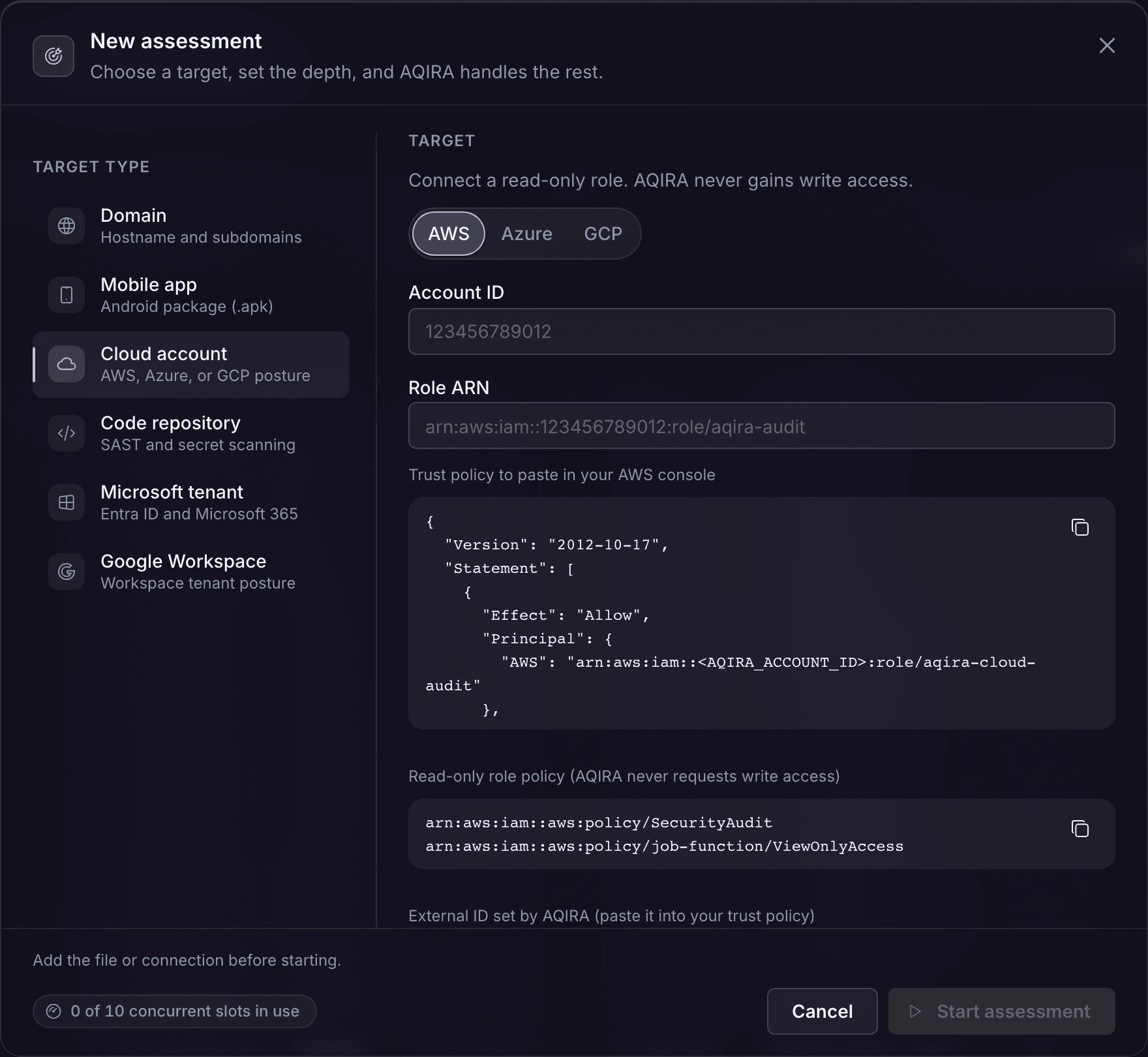
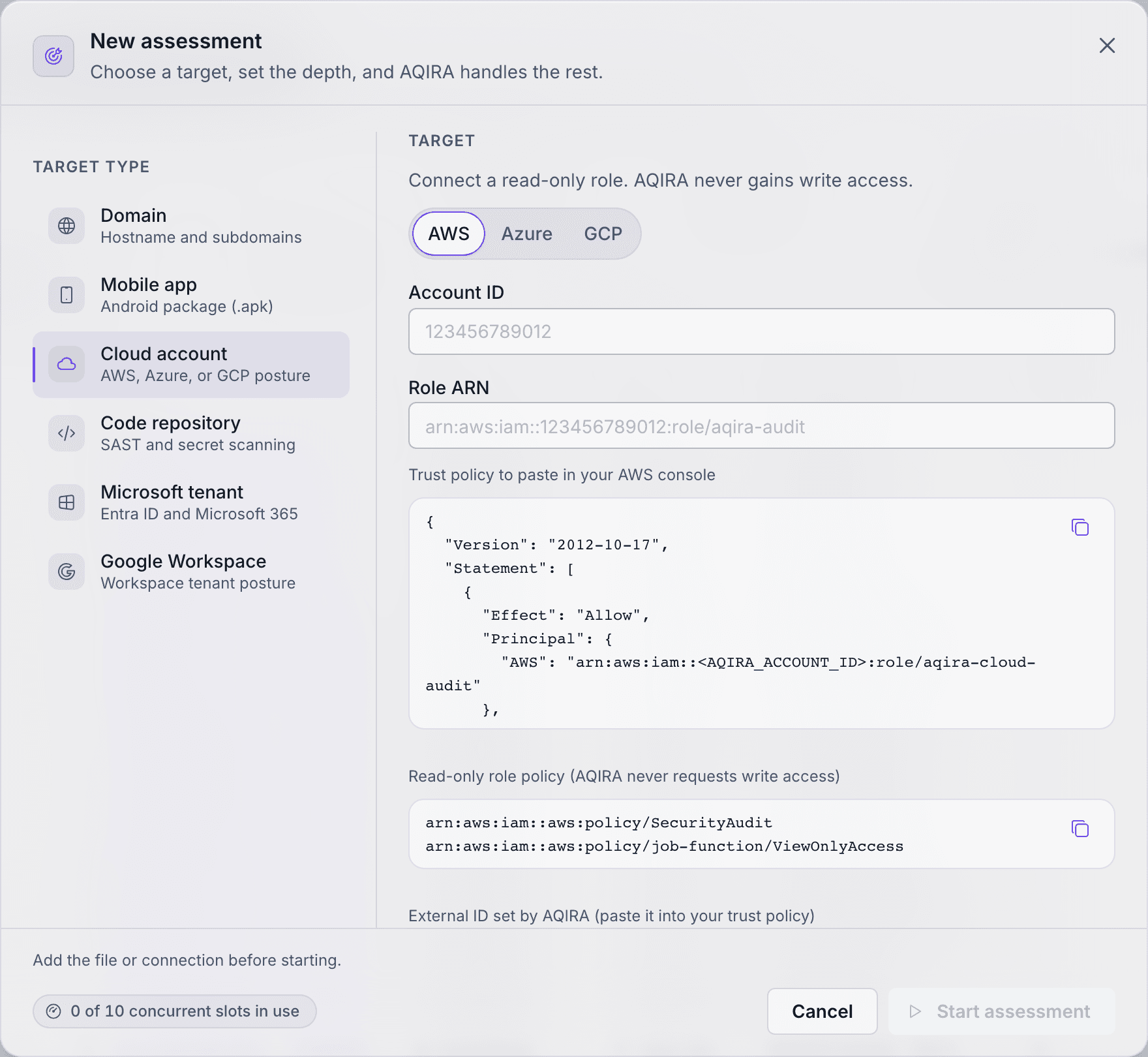
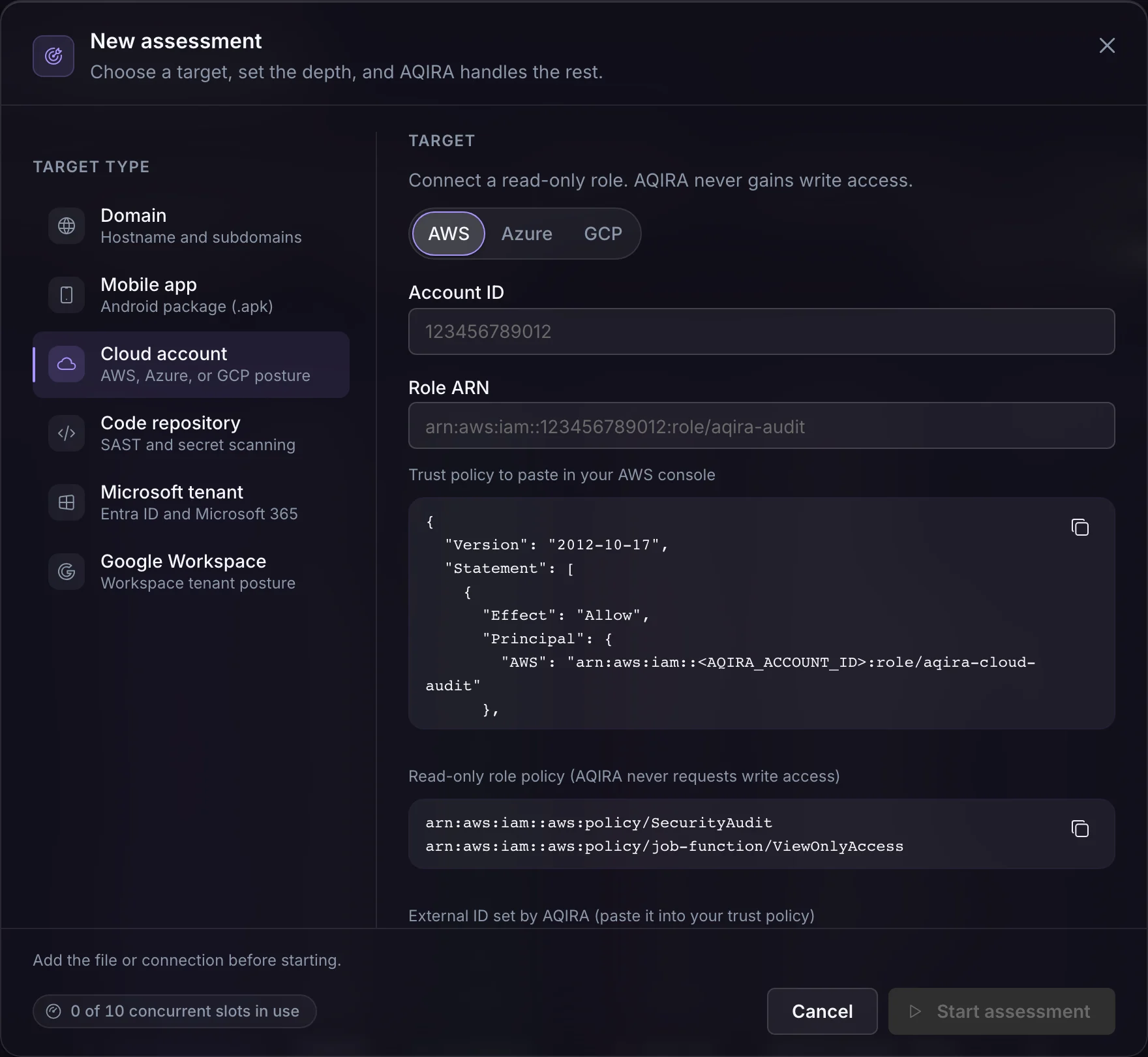
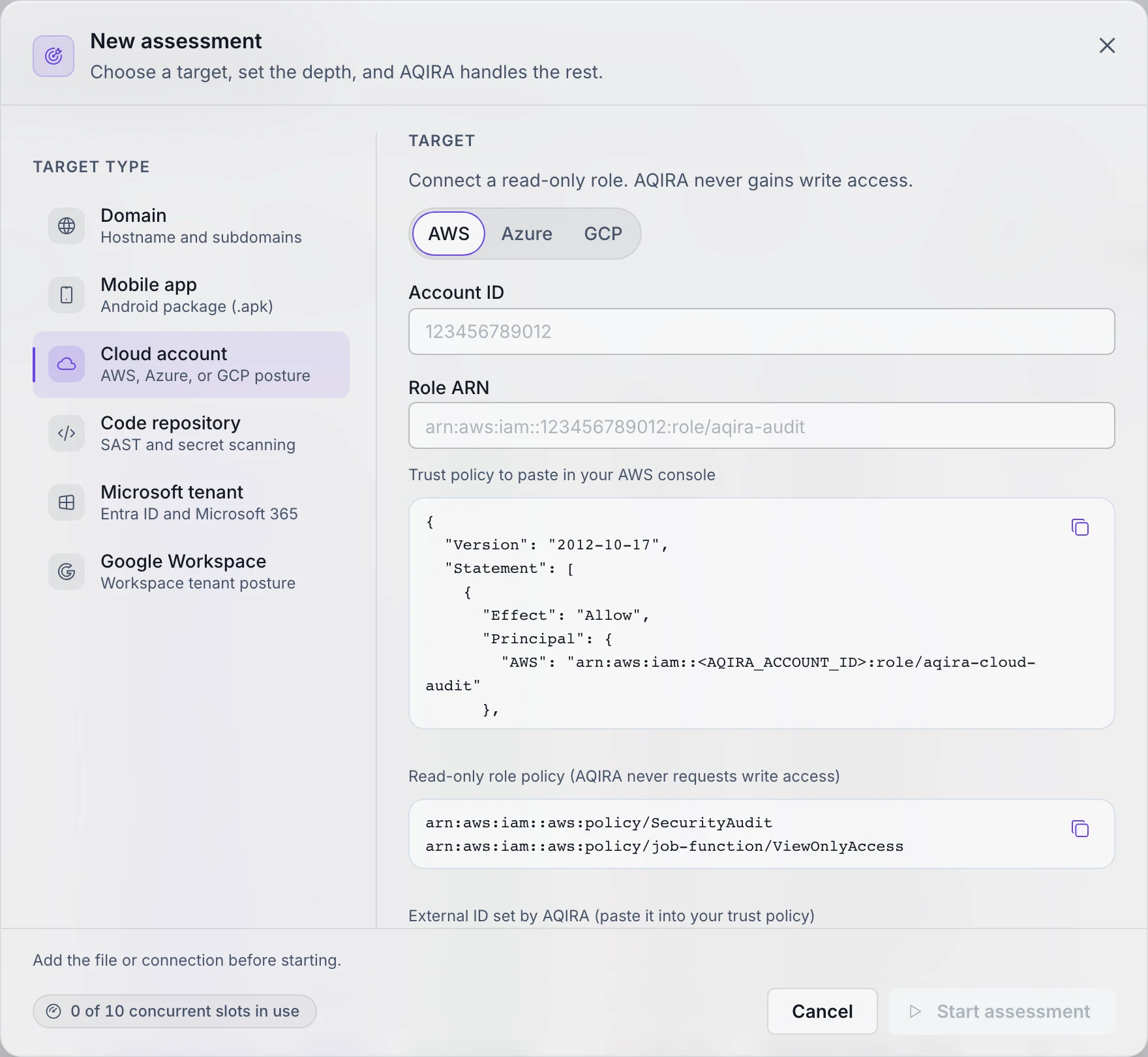
What you hand AQIRA
On a cloud account, the New assessment step asks for the following.
- You provide
- A read-only role in AWS, or read-only access in Azure or GCP.
- Access
- AQIRA's trust policy and read-only policies are attached in your own console. AQIRA never asks for write access.
- Authorisation
- The assessment starts only once the operator confirms:
I authorize a read-only audit of this account.
- Intensity
- Standard. Active testing with safe, non-destructive proofs of concept.
What each input's access allows, and how AQIRA keeps it to the least it needs, is on the security page.
ORION, VEGA, ATLAS, NOVA, POLARIS, SCRIBE
What each agent does on this input
The same six agents, in the same order; on a cloud account this is the work.
01ORIONConnect and inventory
Assumes the read-only role and inventories the account.
- Cloud posture
- Identity inventory
- Open-source intel
02VEGAIdentity and access
Reads identity, access and policy posture.
- Identity posture
- Policy readout
- Vulnerability correlation
03ATLASLogging, storage and network
Reviews logging, storage and network configuration.
- Cloud posture
- Logging review
- Dependency risk
04NOVAPublic exposure validation
Validates public exposure of resources to benign proof.
- Remote-asset exposure
- Hidden-data inspection
- Vulnerability correlation
05POLARISCIS scoring
Consolidates what the others found. Scores the account against the CIS benchmark for its provider.
06SCRIBEReport
Writes the client-deliverable report from the same evidence the console shows.
The findings it raises
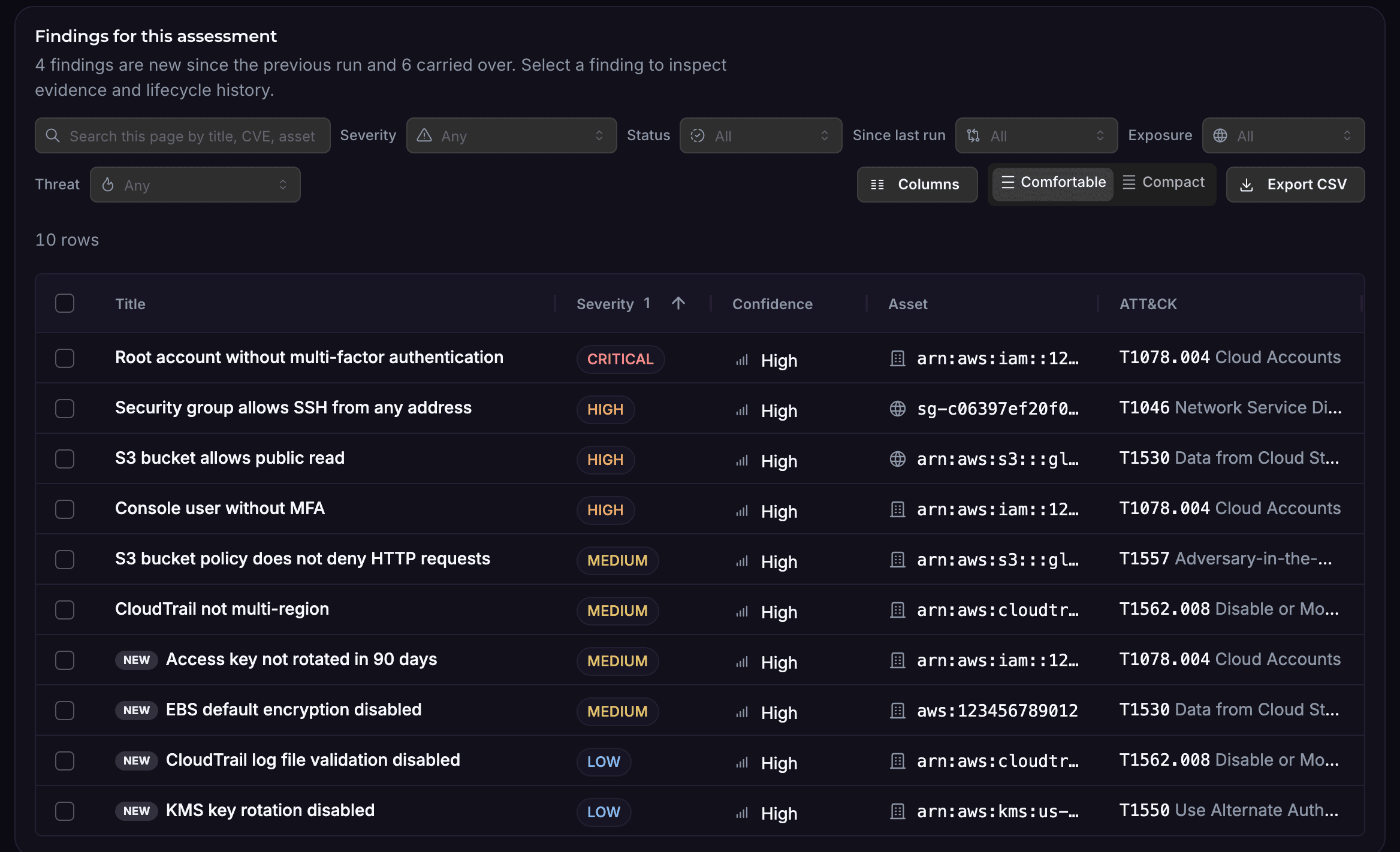
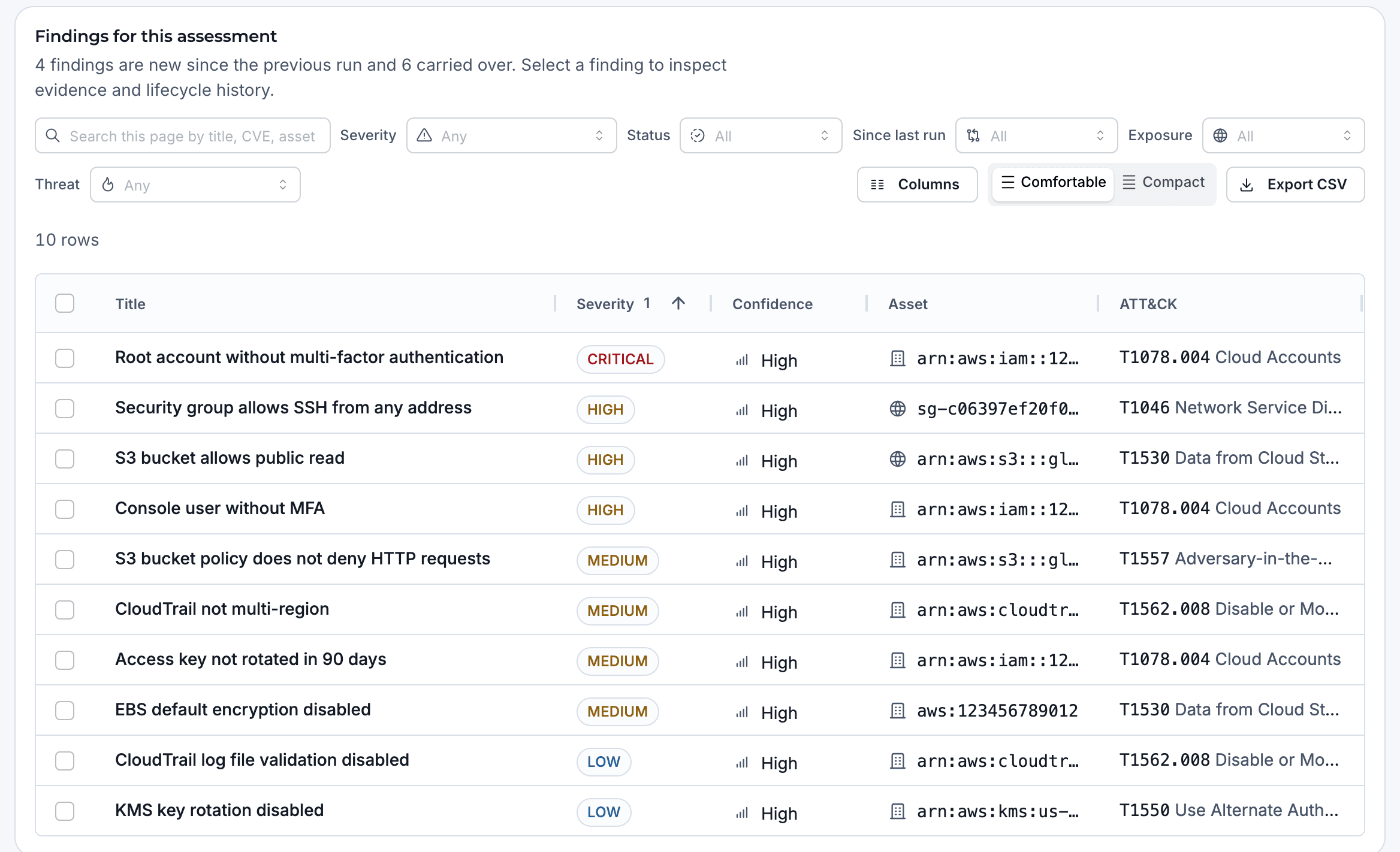
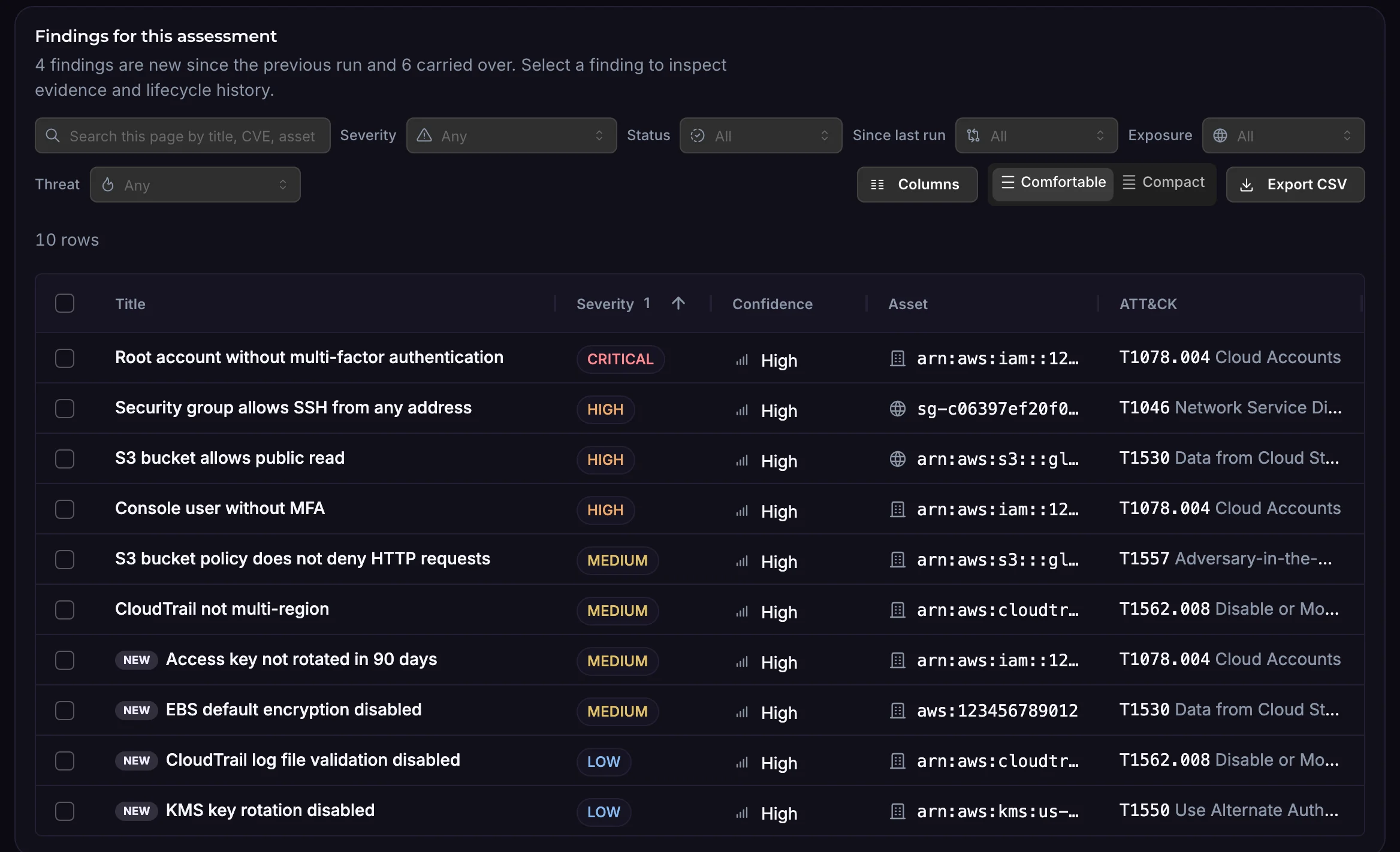
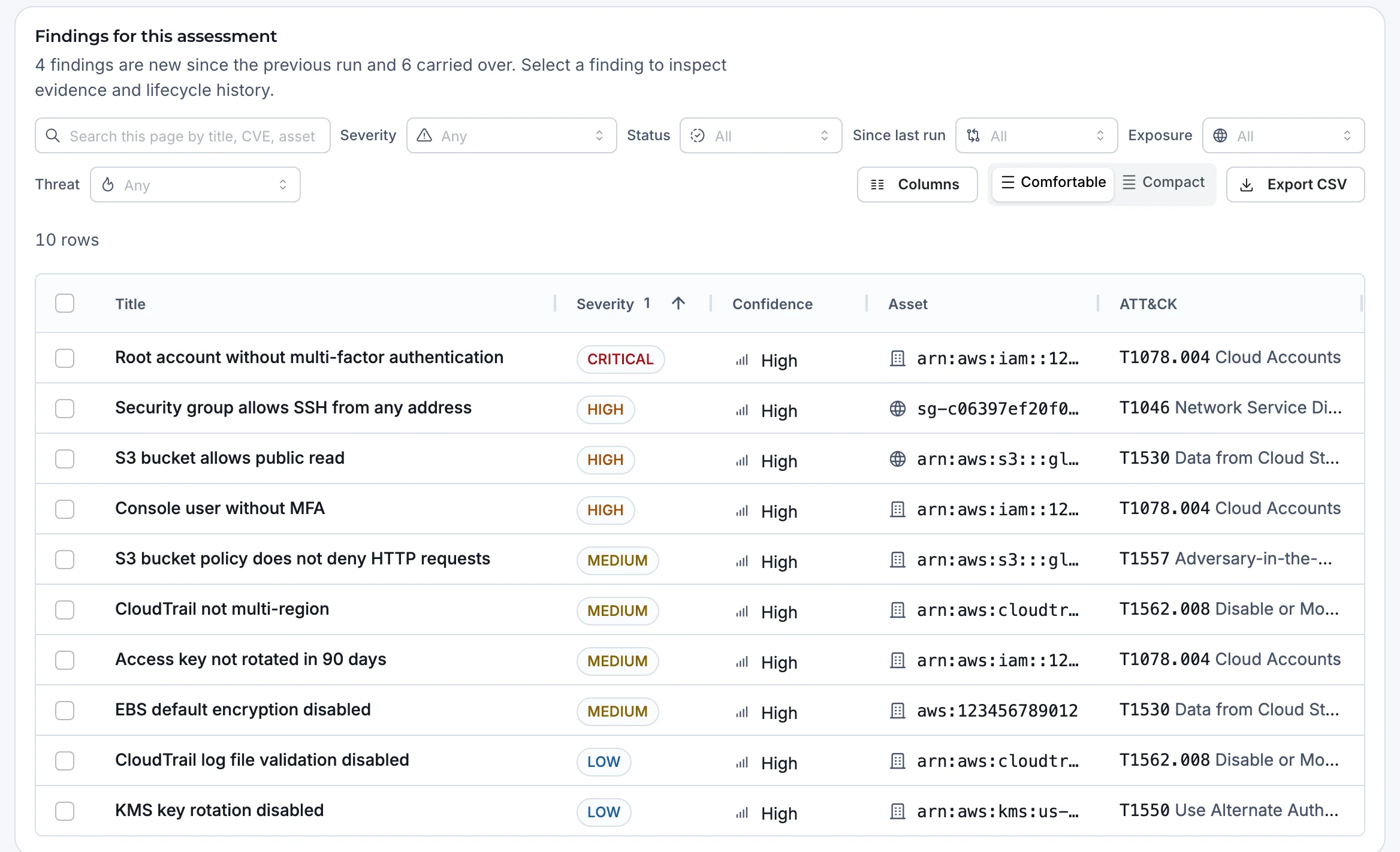
Examples of what AQIRA reports on a cloud account, each with evidence, steps to reproduce, remediation in priority order and its ATT&CK technique.
AWS
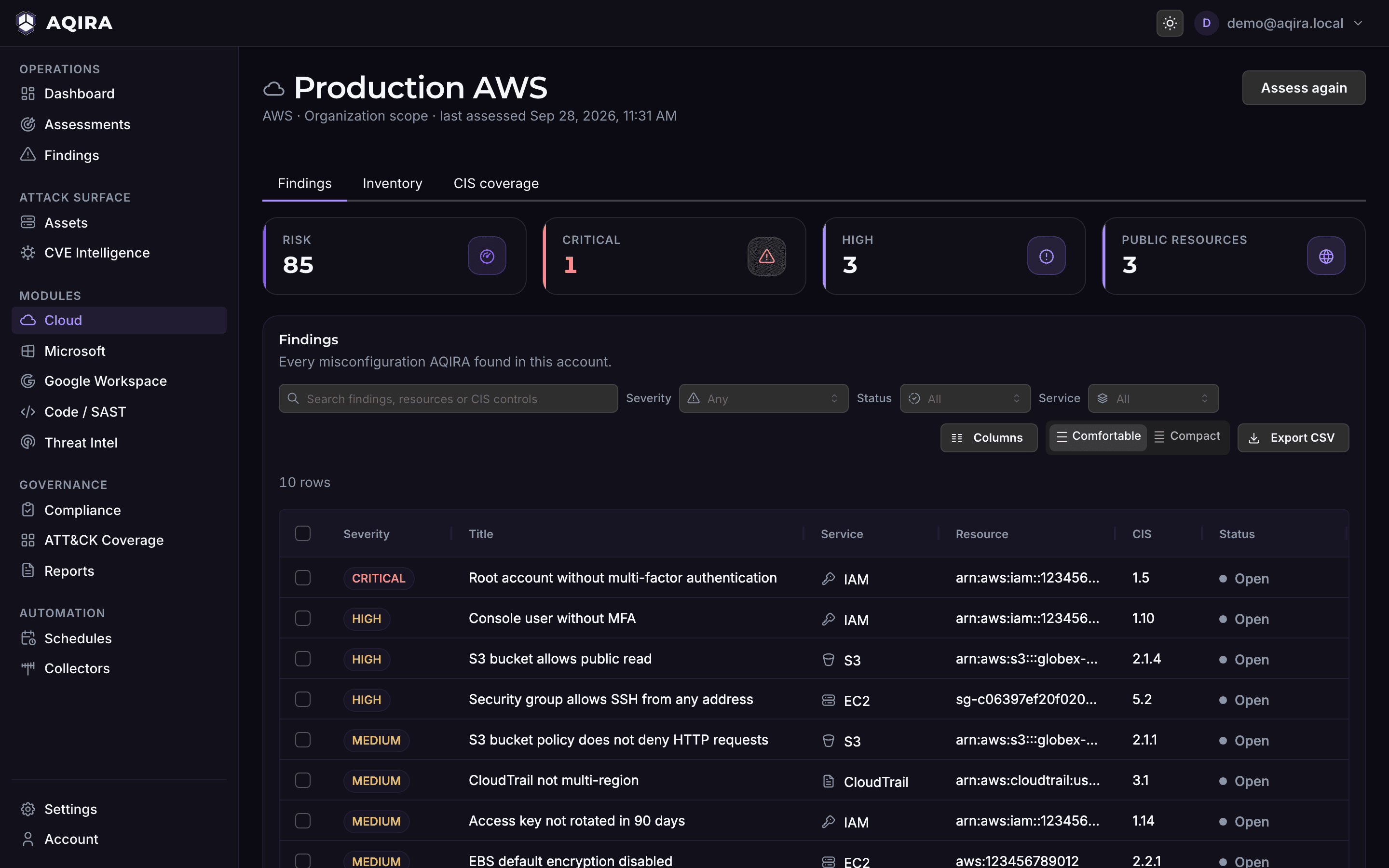
- Root account without multi-factor authentication
- Security group that allows SSH from any address
- S3 bucket that allows public read
- CloudTrail not multi-region
Azure
- Privileged Entra user without MFA
- Blob container with public access
- Network security group that allows RDP from the internet
- Key Vault purge protection disabled
GCP
- Service account with a project-level admin role
- Bucket accessible to allUsers
- Cloud SQL instance that accepts connections from any address
- Data Access audit logs not configured
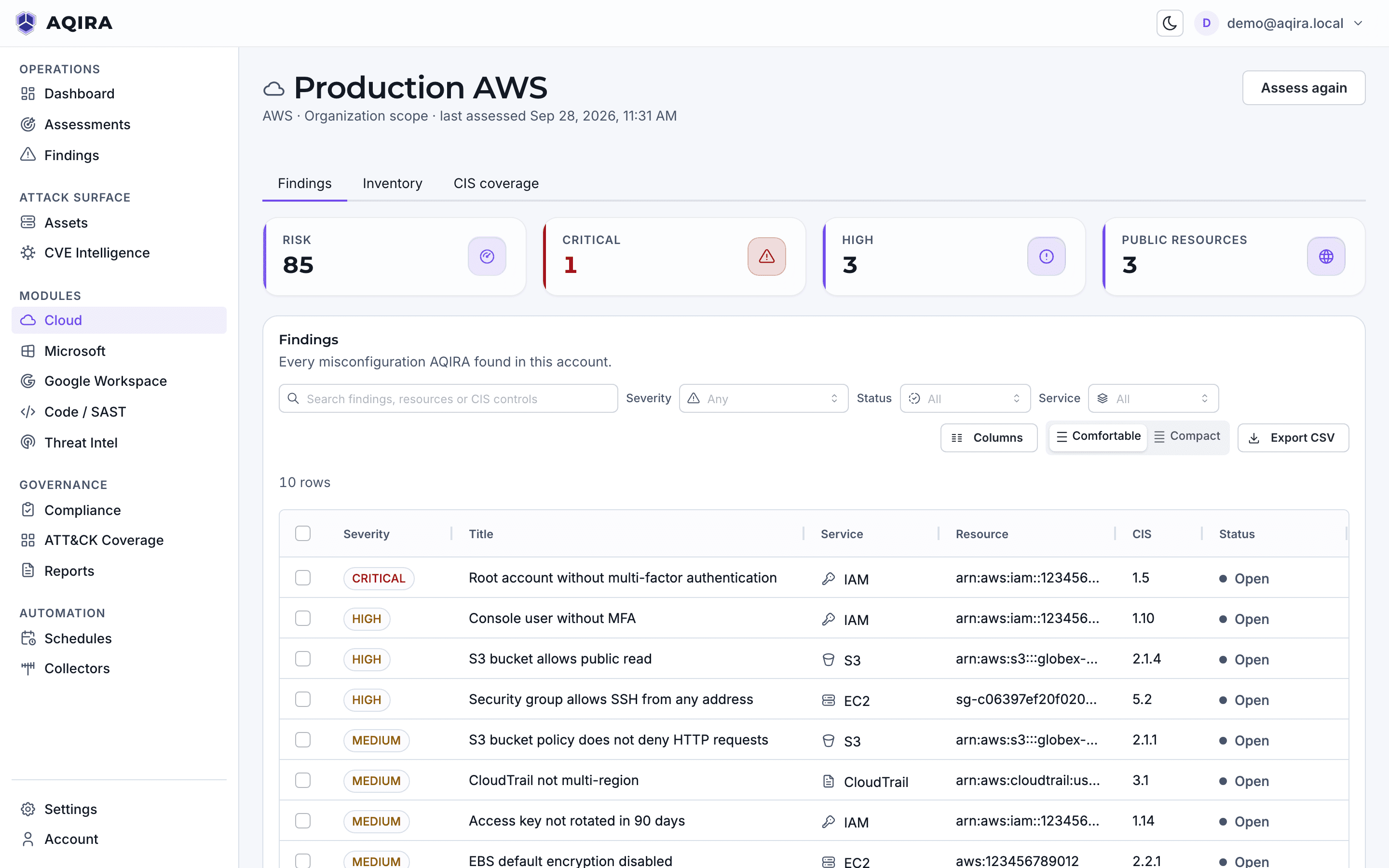
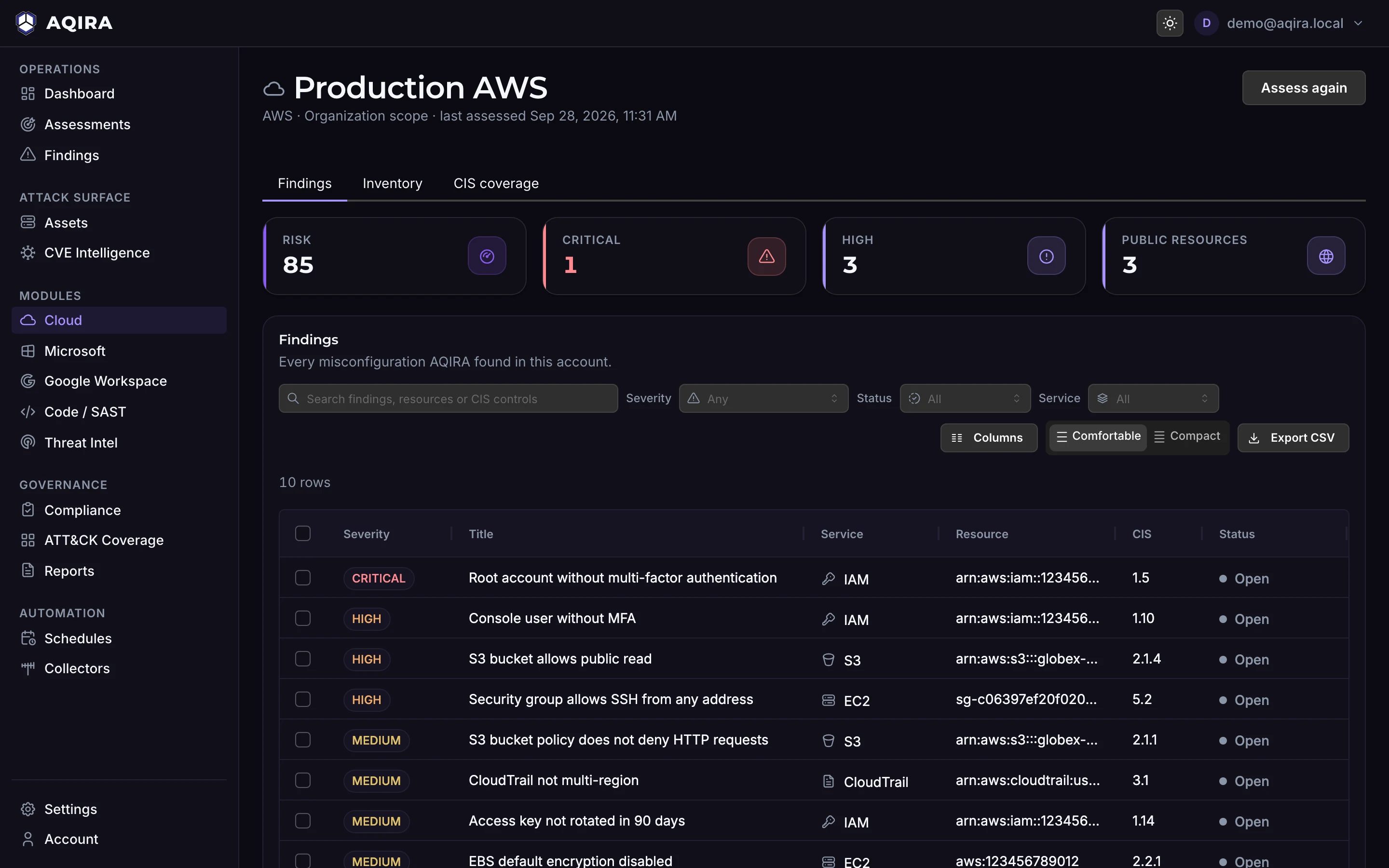
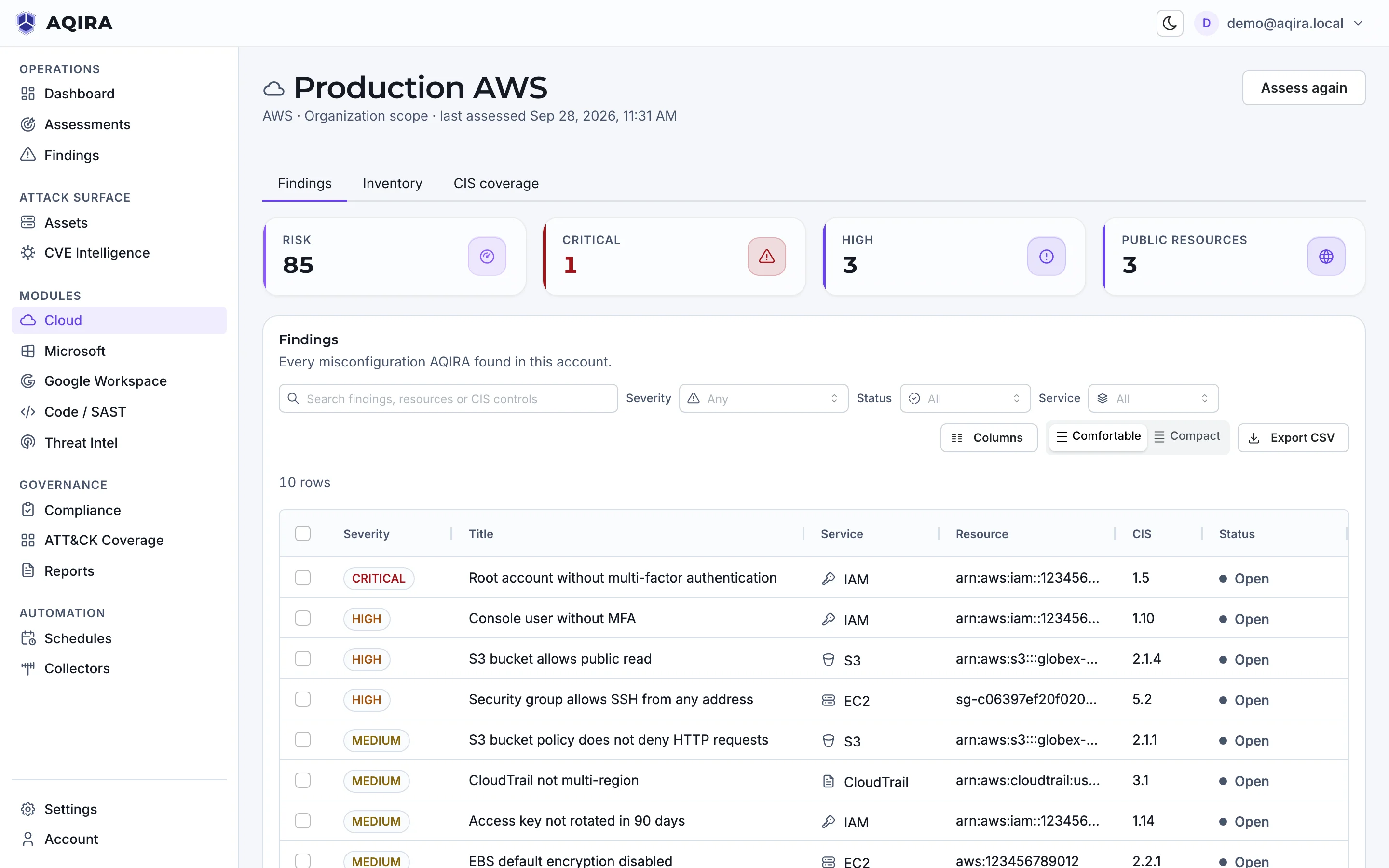
Examples only. What an assessment finds depends on your target; the capture shows a demo assessment.
What it maps, and where results land
Cloud results also land in the Cloud module, one screen per account: risk, public resources, findings by service and CIS Benchmark coverage.
- Cloud resources
- Accounts, subscriptions and projects, IAM users and roles, storage, compute, databases, network rules, keys and audit trails.
- Identities and roles
- Who and what can act in the account, and with which roles.
- Policies and settings
- The account's policies and configuration, read as they are set.
Mapped to what your auditors read
POLARIS maps every finding to the controls it touches, in every framework that applies.
Scored against
- CIS AWS
- CIS Azure
- CIS GCP
Every finding is also mapped to
ATT&CK, OWASP, NIST CSF, NIST SP 800-53, NIST SP 800-171 and COBIT.
Control status, owner and evidence are in compliance mapping; what reaches the client is in the reports.
Where this assessment stops
A clean result covers only what AQIRA tests on a cloud account.
Read-only, always
A read-only role or read-only access, granted in your own console. AQIRA never gains write access.
Posture, not the applications inside
A cloud assessment reads the account's configuration; web apps and APIs running in it are assessed through their domain.
One intensity
Cloud assessments run at Standard: reading configuration and checking exposure, never changing anything.
Limits common to every input, and how proof stays benign, are in the methodology.
The other five inputs
Next step
A demo assessment of a cloud account
A demo runs one assessment in the console, with demo data: the agents at work, the evidence behind each finding, and the report.