AQIRA

Autonomous penetration testing, from first lookup to signed-off report

Six agents run the same five phases on every input. The live console shows each phase, each finding carries its evidence, the ATT&CK matrix shows the path, and the report is written from the same proof.

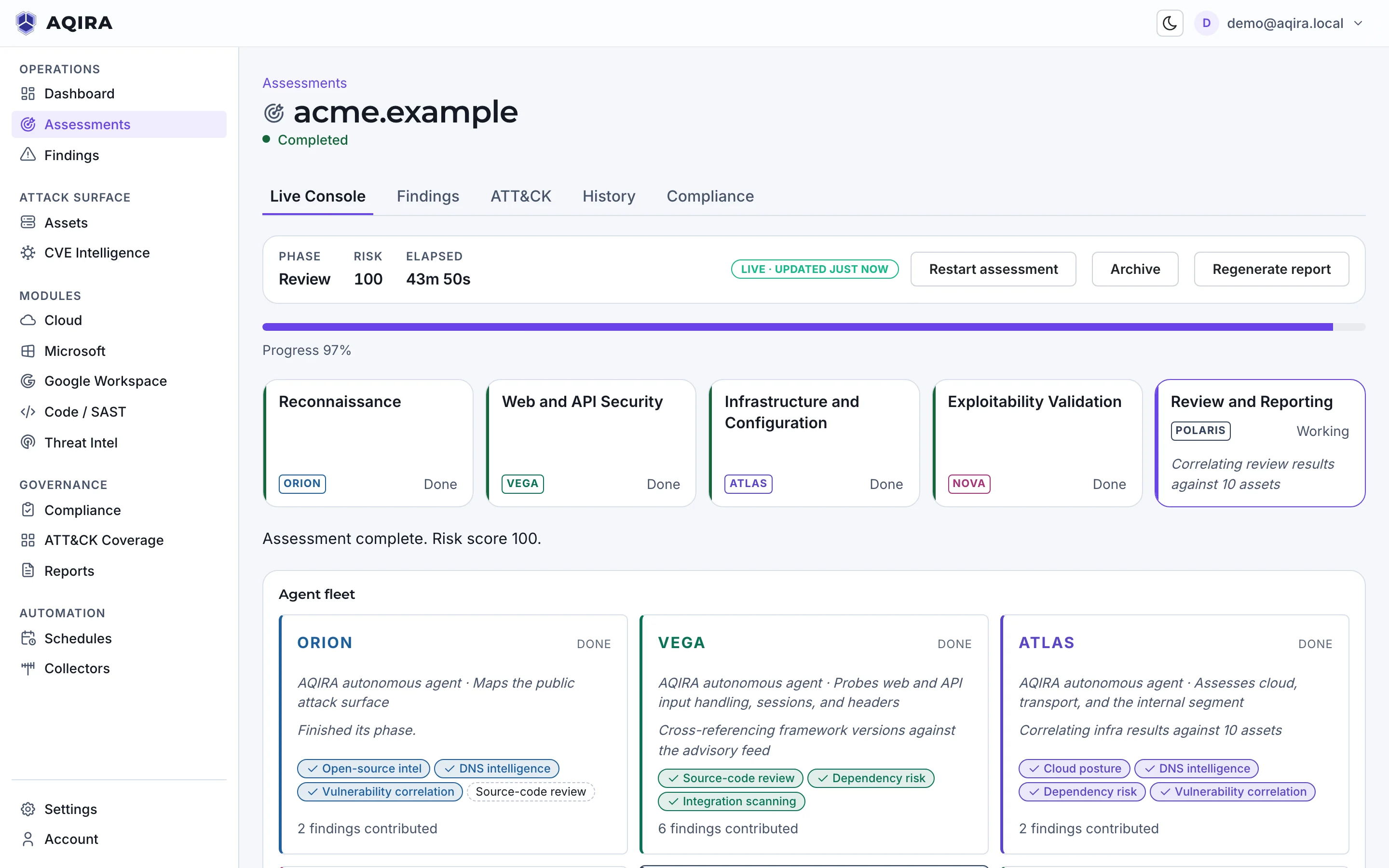
AQIRA consoleLive console / acme.exampleProduct UI, demo data
A finished assessment of the demo domain acme.example, from the phase track to the findings.

Five phases, then the report, on every input

The order, the agents and the evidence are the same on every input; the work inside each phase changes with it.

  1. The input

    One of the 6 inputs: a domain, an APK, a read-only role, a token or consent.

  2. The intensity

    Reconnaissance, Standard or Deep where offered; authorisation confirmed before anything active runs.

  3. The agents

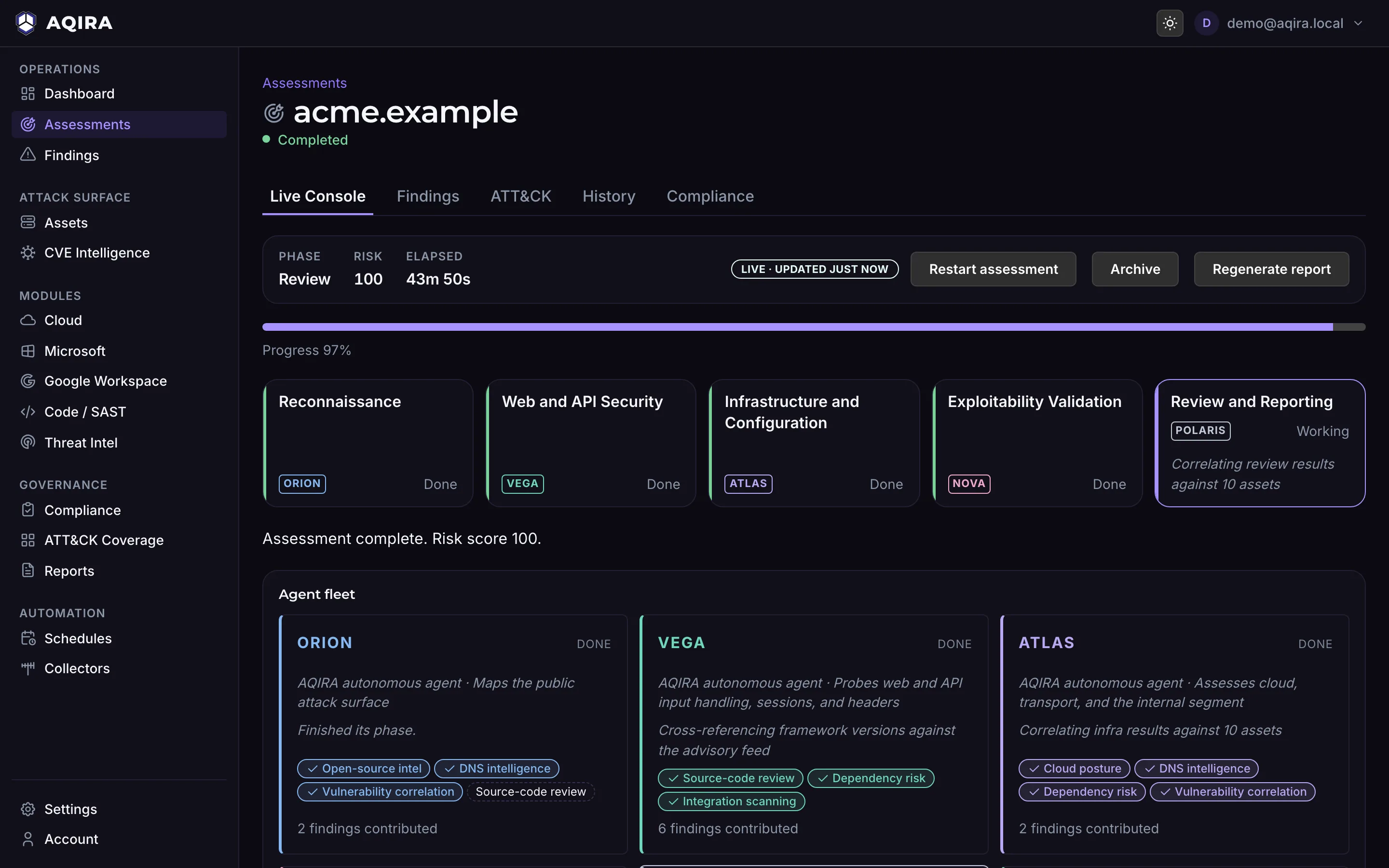
    ORION, VEGA, ATLAS and NOVA run their phases in order, shown live in the console.

  4. The proof

    Each finding carries evidence, steps to reproduce, remediation in priority order and its ATT&CK technique.

  5. The report

    POLARIS maps findings to control frameworks; SCRIBE writes the report from the evidence.

The same phases, named for each input

The console's own label for each phase; input headings link to their pages.

AgentWeb and APIAndroid appsCloud accountsCode repositoriesMicrosoft 365Google Workspace
ORIONReconnaissancePackage intake and manifestConnect and inventoryClone and language detectionTenant and identity inventoryOrganisation and identity inventory
VEGAWeb and API SecurityStatic code analysisIdentity and accessStatic analysis (SAST)Entra ID and collaboration workloadsCommon controls and app access
ATLASInfrastructure and ConfigurationPlatform, crypto and SDK inventoryLogging, storage and networkDependencies, SBOM and IaCExchange, Defender, Intune and auditGmail, Drive and audit logging
NOVAExploitability ValidationDynamic validation (simulated)Public exposure validationSecret verification and supply chain postureAttack-path validationSharing and forwarding validation
POLARISReview and ReportingMASVS review and scoringCIS scoringReview and scoringSCuBA and CIS M365 scoringSCuBA GWS and CIS scoring
SCRIBEThe report, on every input, written from the evidence above.

Scroll the table sideways for every input.

ORION, VEGA, ATLAS, NOVA, POLARIS, SCRIBE

Six specialists, from first lookup to report

Each card: the agent's phase, its capabilities on a domain, one console line, and its role on another input.

  1. 01Recon

    ORION

    Maps the public attack surface.

    • Open-source intel
    • DNS intelligence
    • Vulnerability correlation
    • Source-code review

    ThinkingCorrelating certificate transparency and passive DNS for acme.example

    On a cloud account, ORION assumes the read-only role and inventories the account.

  2. 02Web

    VEGA

    Probes web and API input handling, sessions and headers.

    • Source-code review
    • Dependency risk
    • Integration scanning

    ValidationReflected marker AQIRA-MARKER-web observed on /search; recorded as evidence, not exploited

    On a code repository, VEGA traces taint through the code and hunts committed secrets.

  3. 03Infra

    ATLAS

    Assesses cloud, transport and the internal segment.

    • Cloud posture
    • DNS intelligence
    • Dependency risk
    • Vulnerability correlation

    ActionEnumerated TLS configuration and exposed database listeners

    On an Android app, ATLAS inventories bundled SDKs and reviews cryptography.

  4. 04Exploit

    NOVA

    Validates exploitability to benign proof.

    • Offensive toolchain
    • Vulnerability correlation
    • Browser attack paths
    • Breach exposure
    • Hidden-data inspection
    • Remote-asset exposure

    PlanningValidating exploitability with benign probes; no state-changing requests

    On a Microsoft 365 tenant, NOVA validates identity attack paths to benign proof.

  5. 05Review

    POLARIS

    Consolidates findings and maps them to control frameworks.

    Synthesises what the other agents found.

    ThinkingMapping findings to ATT&CK, OWASP, NIST CSF, 800-53, 800-171 and COBIT

    On every input, POLARIS also scores the input's framework: MASVS (Android), CIS (cloud), CIS and SCuBA (tenants).

  6. 06Report

    SCRIBE

    Writes the client-deliverable report.

    Turns every agent's verified findings into the report.

    ReportReport v1 ready

    On every input, SCRIBE writes the report from the evidence, in the chosen template and format.

Capabilities and console lines shown for a domain assessment of the demo domain acme.example.

Live console

Every phase on screen, while it runs.

A finished assessment of the demo domain acme.example, phase by phase.

  1. ORION works outward from the root domain through certificate transparency, passive DNS and public hosts, recording how each asset was found.

  2. VEGA tests input handling, sessions and headers with marker payloads only. A reflected marker is recorded as evidence, not exploited.

  3. ATLAS checks transport, exposed services and cloud storage, then follows them inward; each bucket, database listener and internal host lands in the live feed.

  4. NOVA validates exploitability with benign probes and no state-changing requests. Each finding arrives with severity, evidence, fix and confidence level.

  5. POLARIS consolidates the findings, scores the risk and maps each to ATT&CK, OWASP, NIST and COBIT; SCRIBE writes the report from that evidence.

AQIRA consoleLive console / acme.exampleProduct UI, demo data
The main column of the AQIRA live console for a finished assessment of acme.example, from the phases and agent fleet down to the analytics.The main column of the AQIRA live console for a finished assessment of acme.example, from the phases and agent fleet down to the analytics.
  1. 01ReconORION

    Map what an attacker can reach

    ORION works outward from the root domain through certificate transparency, passive DNS and public hosts, recording how each asset was found.

    AQIRA consoleLive console / acme.exampleProduct UI, demo data
    The live console's phase track and agent fleet, with ORION's card marked: its role, the capabilities it used and the findings it contributed.The live console's phase track and agent fleet, with ORION's card marked: its role, the capabilities it used and the findings it contributed.
  2. 02WebVEGA

    Probe the web apps and APIs

    VEGA tests input handling, sessions and headers with marker payloads only. A reflected marker is recorded as evidence, not exploited.

    AQIRA consoleLive console / acme.exampleProduct UI, demo data
    The live console's agent fleet with VEGA's card marked: probing web and API input handling, sessions and headers, and checking framework versions against the advisory feed.The live console's agent fleet with VEGA's card marked: probing web and API input handling, sessions and headers, and checking framework versions against the advisory feed.
  3. 03InfraATLAS

    Follow it into the infrastructure

    ATLAS checks transport, exposed services and cloud storage, then follows them inward; each bucket, database listener and internal host lands in the live feed.

    AQIRA consoleLive console / acme.exampleProduct UI, demo data
    The live console's run log beside the live discoveries feed, marked: an internal host, a cloud storage bucket and three services.The live console's run log beside the live discoveries feed, marked: an internal host, a cloud storage bucket and three services.
  4. 04ExploitNOVA

    Prove it with benign probes

    NOVA validates exploitability with benign probes and no state-changing requests. Each finding arrives with severity, evidence, fix and confidence level.

    AQIRA consoleLive console / acme.exampleProduct UI, demo data
    The live console's live findings panel, marked: a critical finding with its confidence, CVSS score, affected asset, evidence status and remediation.The live console's live findings panel, marked: a critical finding with its confidence, CVSS score, affected asset, evidence status and remediation.
  5. 05ReviewPOLARIS

    Consolidate, map and report

    POLARIS consolidates the findings, scores the risk and maps each to ATT&CK, OWASP, NIST and COBIT; SCRIBE writes the report from that evidence.

    AQIRA consoleLive console / acme.exampleProduct UI, demo data
    The live console's analytics after the run, marked: findings per phase by severity, beside the phase timeline and the severity chart.The live console's analytics after the run, marked: findings per phase by severity, beside the phase timeline and the severity chart.

Reconnaissance, Standard, Deep

How far an assessment goes

Every intensity is non-destructive. What changes is how far the agents go to prove a finding, and whether authorisation is confirmed first.

  1. Reconnaissance

    Maps the attack surface without exploitation. No authorisation needed.

    Passive, sends no attacks

  2. Standard

    Active testing with safe, non-destructive proofs of concept.

    Authorisation confirmed first

  3. Deep

    Chained, in-depth exploitation to prove impact. Still non-destructive.

    Authorisation confirmed first

Offered on each input

InputReconnaissanceStandardDeep
Web and APIOfferedOfferedOffered
Android appsNot offeredOfferedOffered
Cloud accountsNot offeredOfferedNot offered
Code repositoriesNot offeredOfferedOffered
Microsoft 365Not offeredOfferedNot offered
Google WorkspaceNot offeredOfferedNot offered

Scroll the table sideways for every intensity.

Cloud accounts and workspace tenants run at Standard: configuration is read through the read-only access you grant, never changed.

Evidence and PoC, Reproduce, Remediation, Mappings

Evidence on every finding, benign proof on every exploit

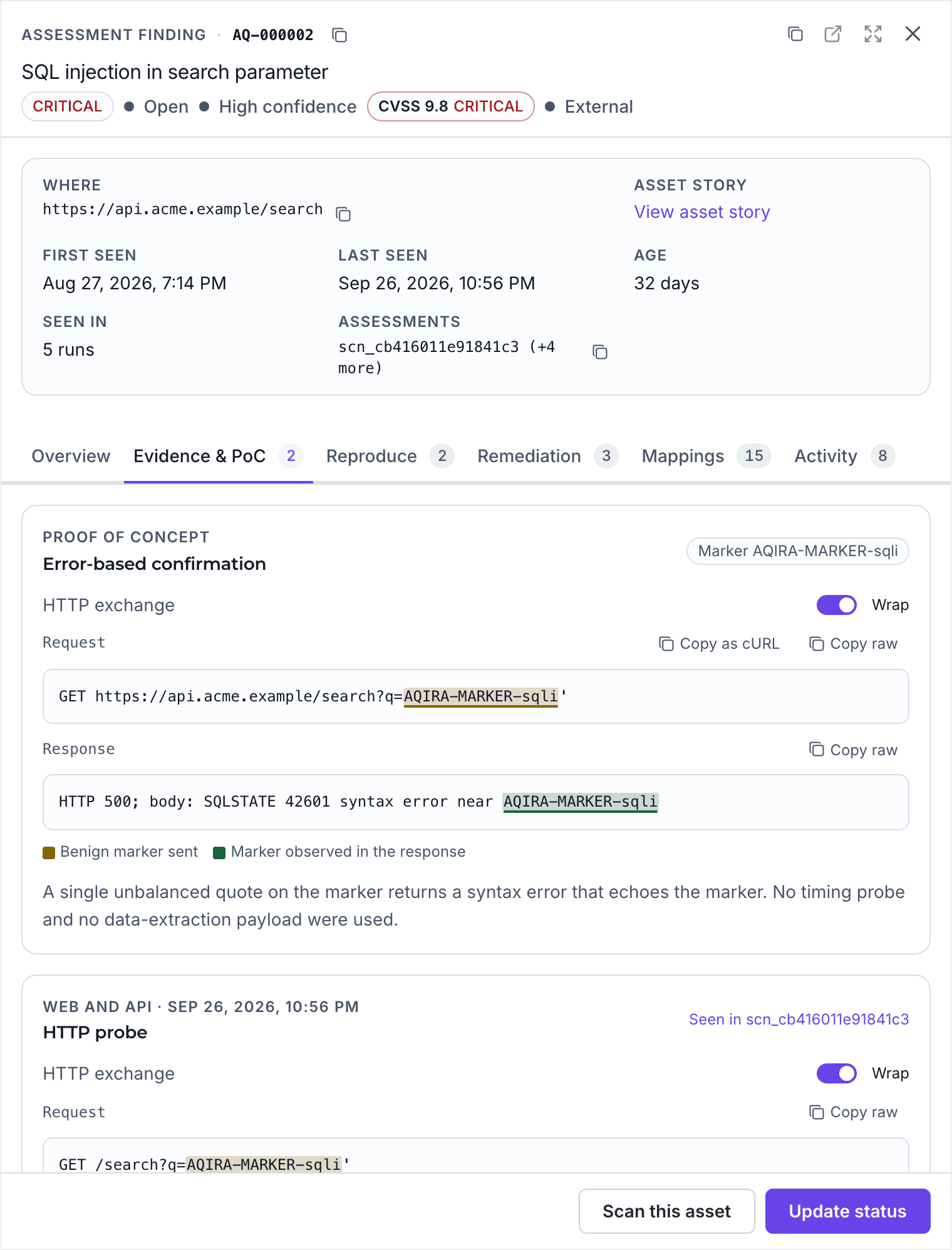
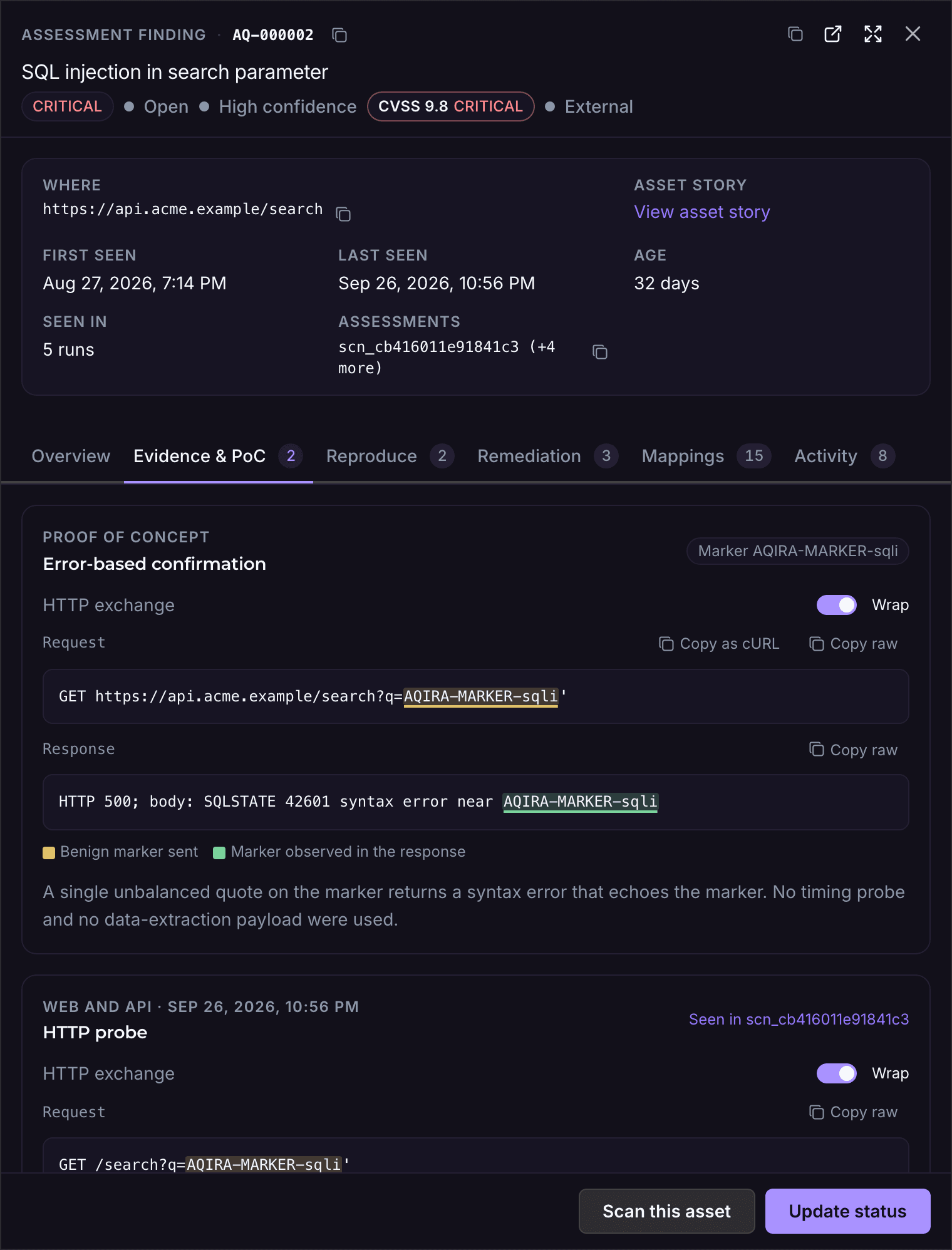
One finding from the demo assessment of acme.example, a SQL injection, on its four tabs.

Evidence and PoC

The request and the response

The request and response, with the benign marker highlighted in both: proof the input reaches the query without taking anything from the database.

An AQIRA finding for SQL injection, on Evidence and PoC: CVSS 9.8, the request carrying a benign marker and the error response that echoes it.An AQIRA finding for SQL injection, on Evidence and PoC: CVSS 9.8, the request carrying a benign marker and the error response that echoes it.
Product UI, demo data
  1. CVSS 3.1 vectorCVSS:3.1/AV:N/AC:L/PR:N/UI:N/S:U/C:H/I:H/A:HThe 9.8 score carries the vector it was computed from.
  2. Benign proofAQIRA-MARKER-sqliOne stray quote, echoed back in the database error. No timing probe, no data extracted.

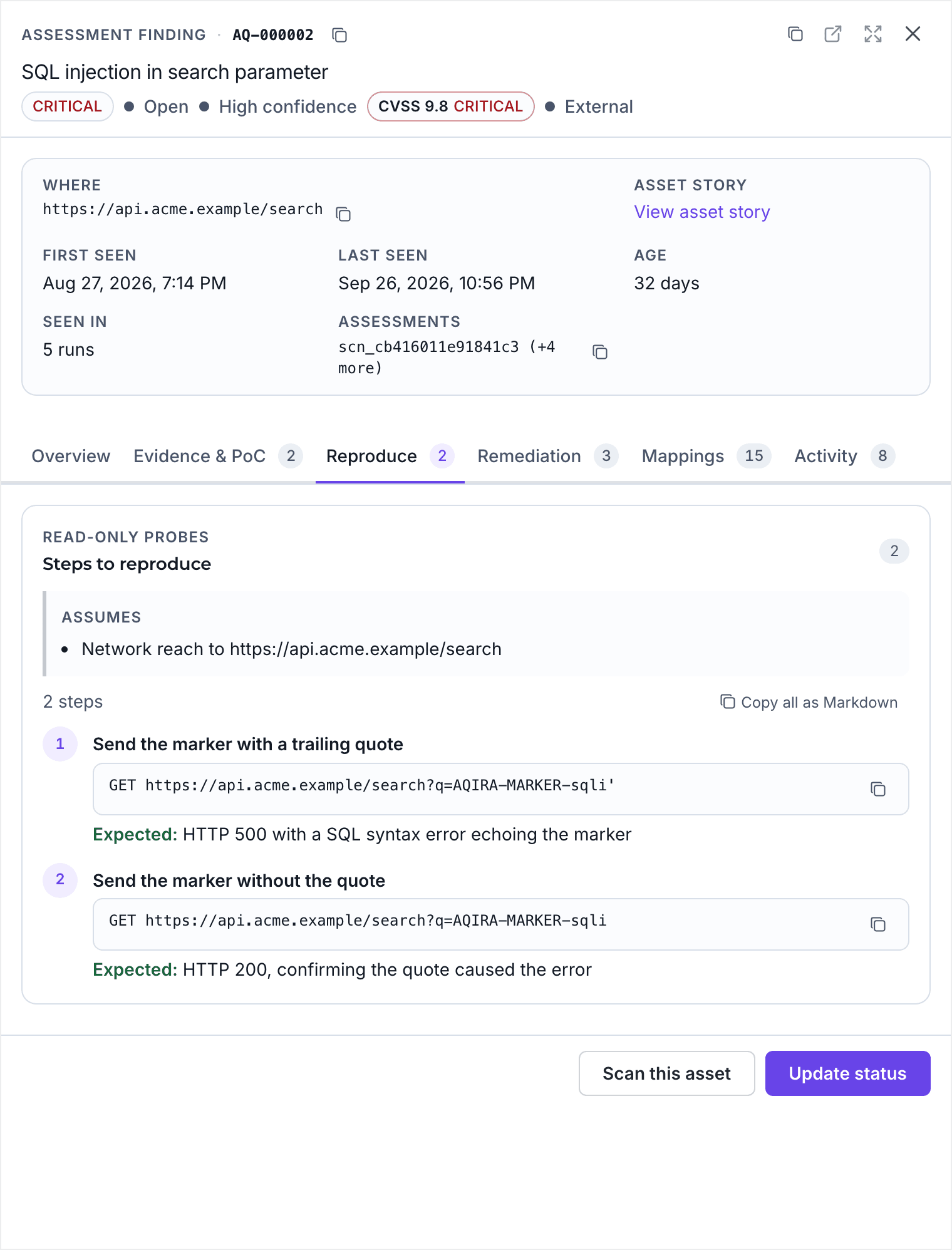
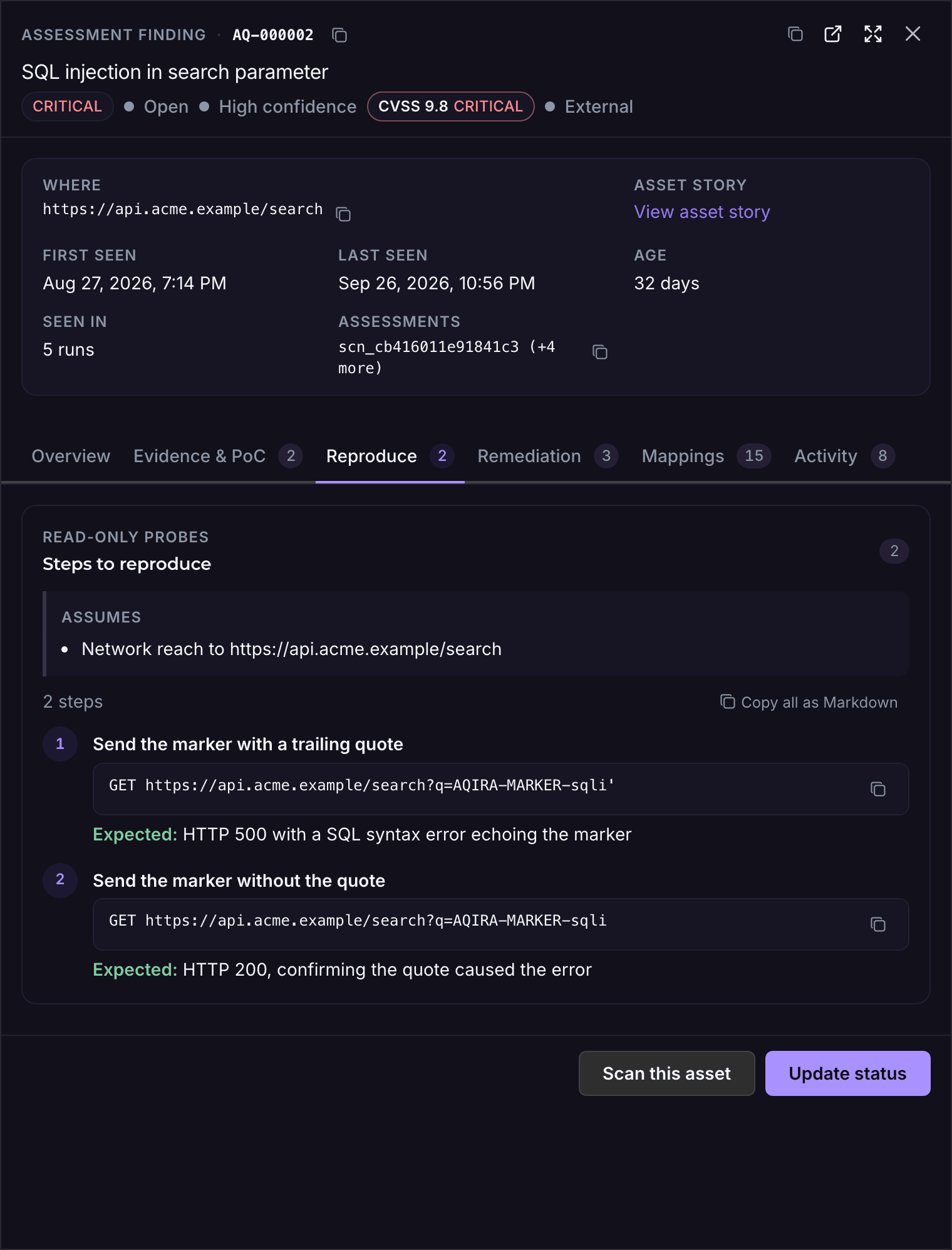
Reproduce

Steps your team can repeat

Read-only steps in order, each with the request to send and the response to expect, to confirm the finding before the fix and after it.

The Reproduce tab of an AQIRA finding: the precondition, then two read-only requests, each with the response to expect.The Reproduce tab of an AQIRA finding: the precondition, then two read-only requests, each with the response to expect.
Product UI, demo data
  1. Steps to reproduceTwo read-only requestsThe precondition first, then each request as a copyable command.
  2. Expected resultHTTP 500, then HTTP 200The quoted marker breaks the query; unquoted, it does not.

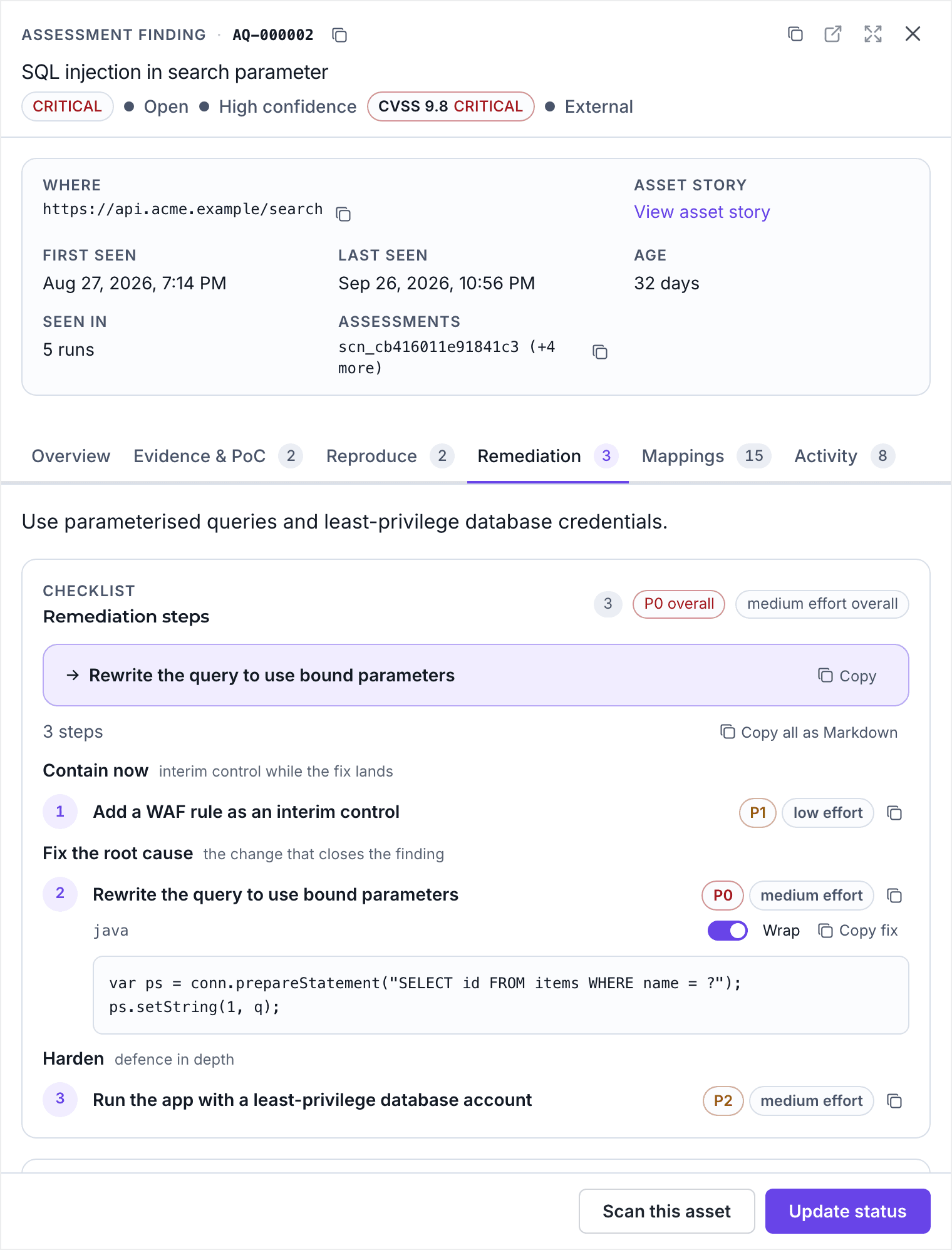
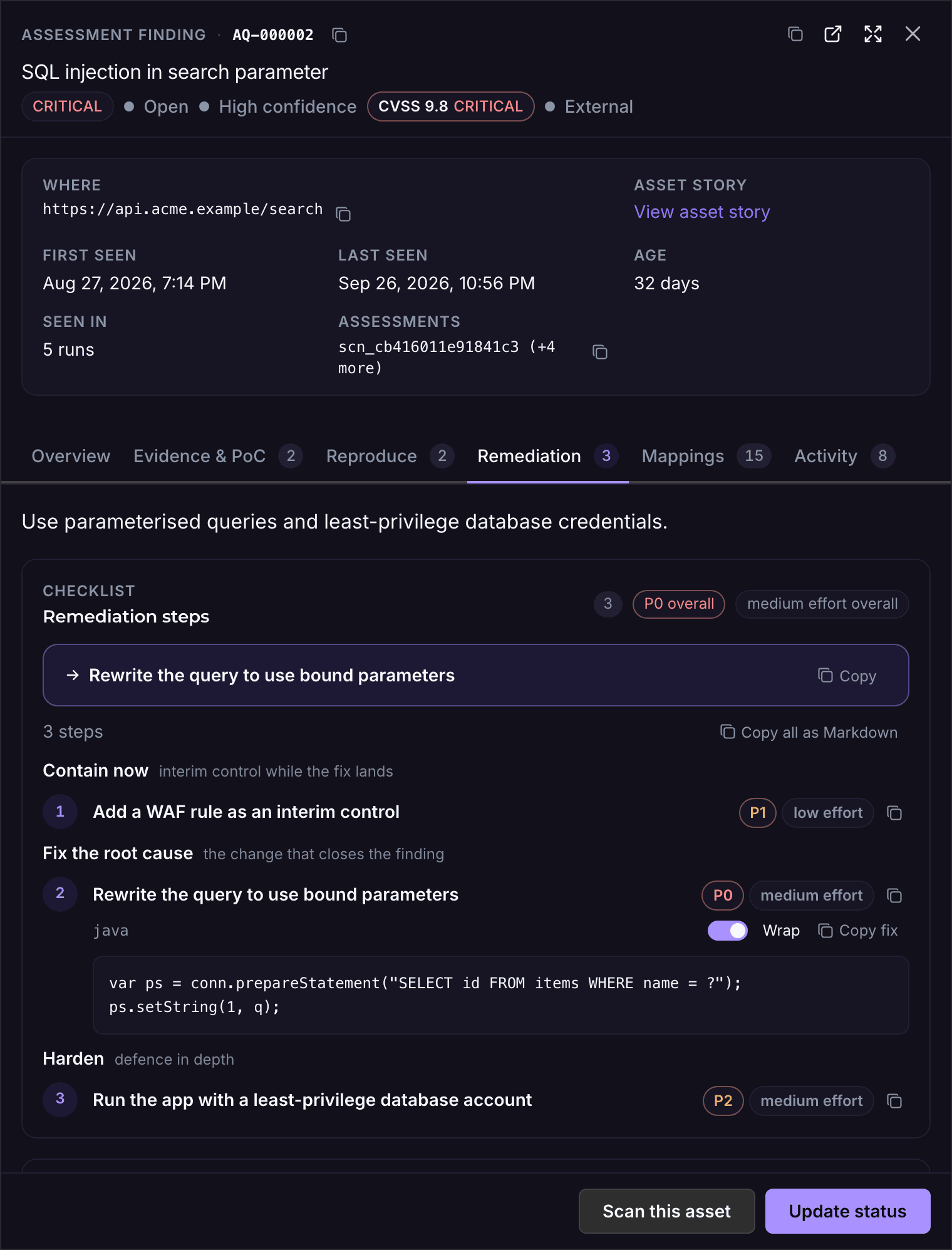
Remediation

A fix list in priority order

Contain, fix the root cause, then harden. Each step carries a priority and an effort; the fix includes the code change.

The Remediation tab of an AQIRA finding: P0 overall, an interim WAF rule at P1, then the query rewritten with bound parameters at P0.The Remediation tab of an AQIRA finding: P0 overall, an interim WAF rule at P1, then the query rewritten with bound parameters at P0.
Product UI, demo data
  1. Remediation priorityP0 overallA WAF rule at P1 contains it today; rewriting the query at P0 closes it.
  2. The fix, in codeBound parametersA prepared statement in the application's own language, ready to copy.

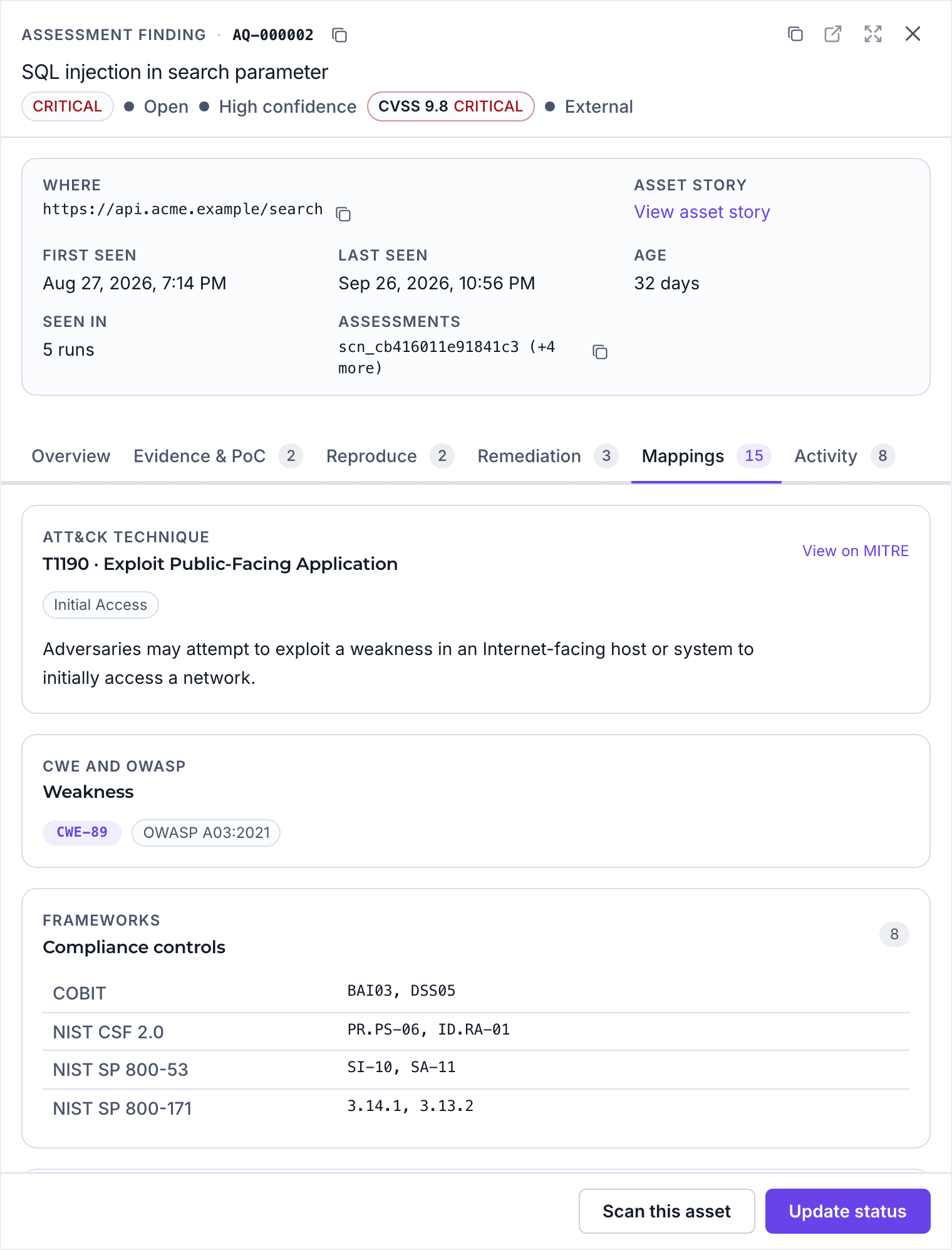
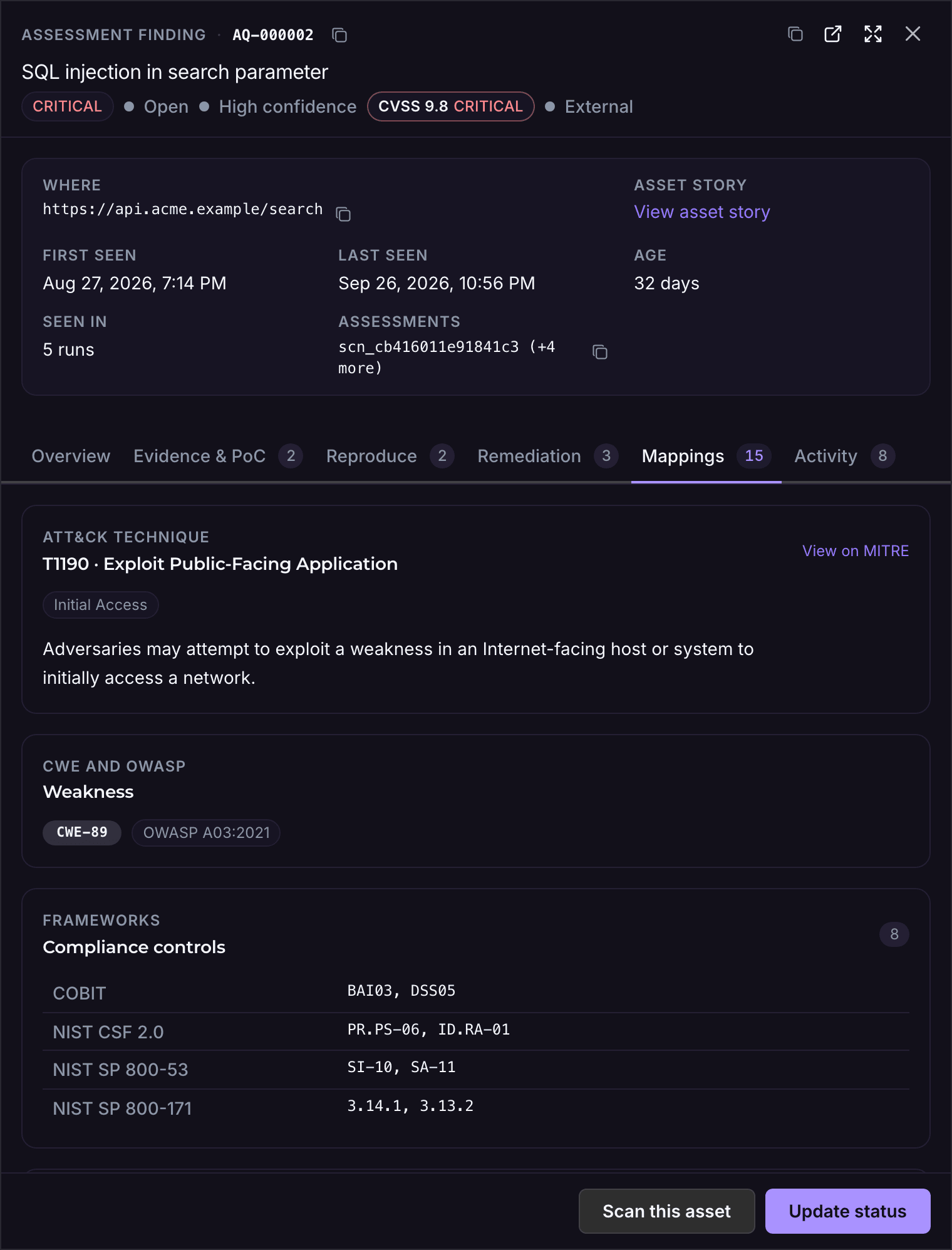
Mappings

Mapped for every reader

The ATT&CK technique and MITRE's mitigations for the SOC, the CWE and OWASP category for developers, and the controls it touches for your auditors.

The Mappings tab of an AQIRA finding: ATT&CK technique T1190, weakness CWE-89 and OWASP A03:2021, and its controls in COBIT and NIST.The Mappings tab of an AQIRA finding: ATT&CK technique T1190, weakness CWE-89 and OWASP A03:2021, and its controls in COBIT and NIST.
Product UI, demo data
  1. ATT&CK mitigationsT1190: M1016, M1026, M1030, M1048, M1050, M1051The technique links to MITRE's own mitigations, from vulnerability scanning to updating software.
  2. Compliance controlsCOBIT, NIST CSF 2.0, SP 800‑53, SP 800‑171The same finding in each framework's terms: BAI03, PR.PS-06, SI-10, 3.14.1 and more.

416 techniques and sub-techniques, MITRE ATT&CK v15.1

Attack paths mapped to MITRE ATT&CK

The demo assessment on the ATT&CK Enterprise matrix, its kill chain in tactic order, and MITRE's mitigations for each technique reached.

ATT&CK Enterprise v15.1

Every catalogued technique and sub-technique, by tactic. Lit cells are those the demo assessment of acme.example reached, coloured by the worst severity mapped.

  • Critical
  • High
  • Medium
  • Low
  • Not reached
Demo data: the acme.example assessment
List the techniques this assessment reached
  • Reconnaissance: T1594 Search Victim-Owned Websites (1 finding, worst low).
  • Resource Development: T1584.001 Domains (1 finding, worst high).
  • Initial Access: T1078.001 Default Accounts (1 finding, worst high); T1190 Exploit Public-Facing Application (2 findings, worst critical); T1195.002 Compromise Software Supply Chain (1 finding, worst critical).
  • Persistence: T1078.001 Default Accounts (1 finding, worst high).
  • Privilege Escalation: T1078.001 Default Accounts (1 finding, worst high).
  • Defense Evasion: T1078.001 Default Accounts (1 finding, worst high).
  • Credential Access: T1110.004 Credential Stuffing (1 finding, worst medium); T1557 Adversary-in-the-Middle (2 findings, worst medium).
  • Discovery: T1046 Network Service Discovery (1 finding, worst high).
  • Collection: T1213.003 Code Repositories (1 finding, worst high); T1530 Data from Cloud Storage (1 finding, worst high); T1557 Adversary-in-the-Middle (2 findings, worst medium).

Kill chain

From admin.acme.example

Externally reachable host, and the findings it enables in tactic order, derived from the assessment's own findings and assets.

  1. Reconnaissance

    T1594 Search Victim-Owned Websites

    • LowDirectory listing enabled
  2. Initial Access

    T1195.002 Compromise Software Supply Chain

    • CriticalBackdoored xz/liblzma package installed
  3. Credential Access

    T1110.004 Credential StuffingT1557 Adversary-in-the-Middle

    • MediumLogin portal does not enforce multi-factor authentication
    • LowSecurity headers missing (CSP, HSTS)
  4. Discovery

    T1046 Network Service Discovery

    • HighDatabase port reachable from the internet
  5. Collection

    T1213.003 Code Repositories

    • HighSource control metadata exposed (.git directory)
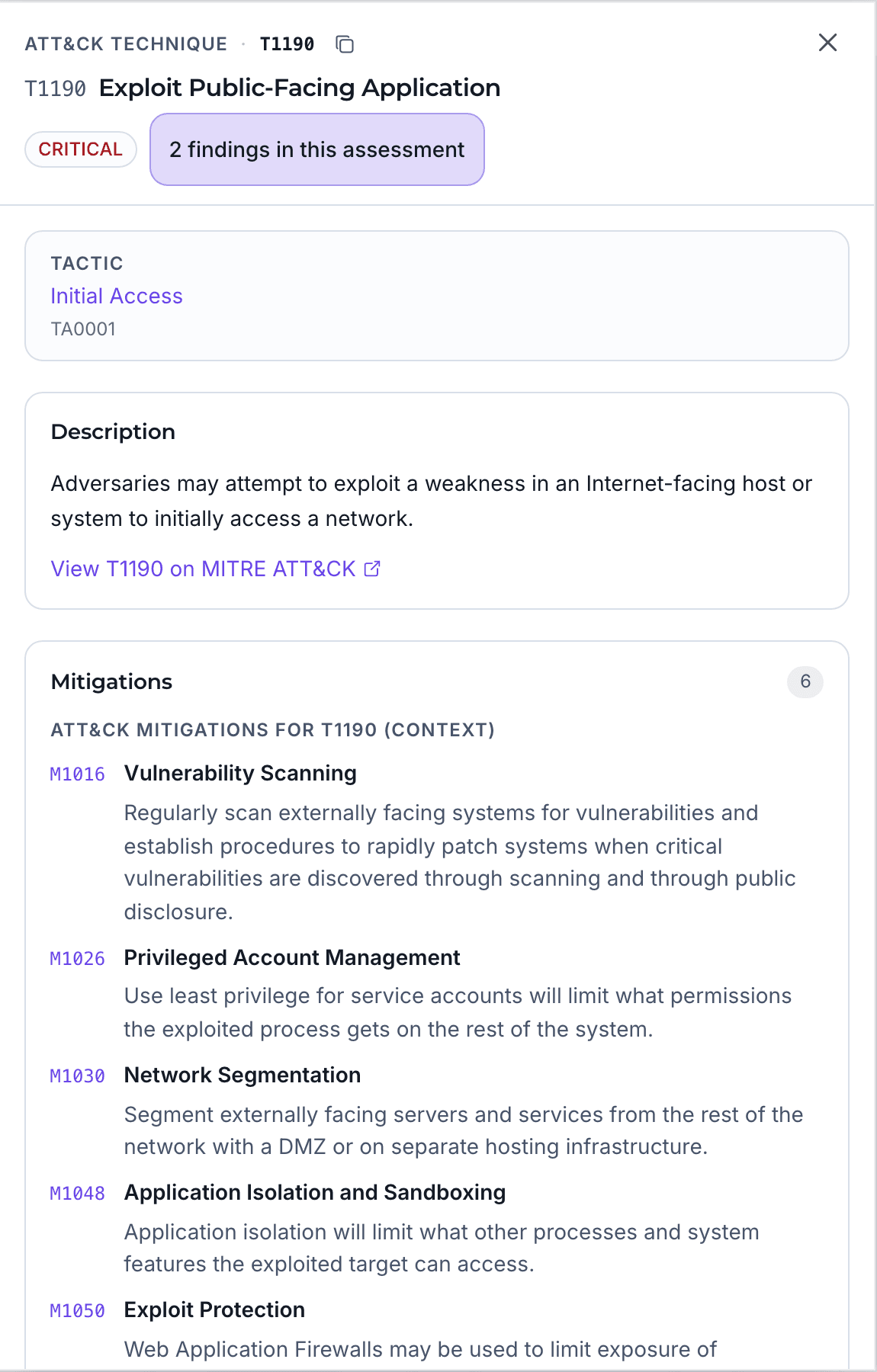
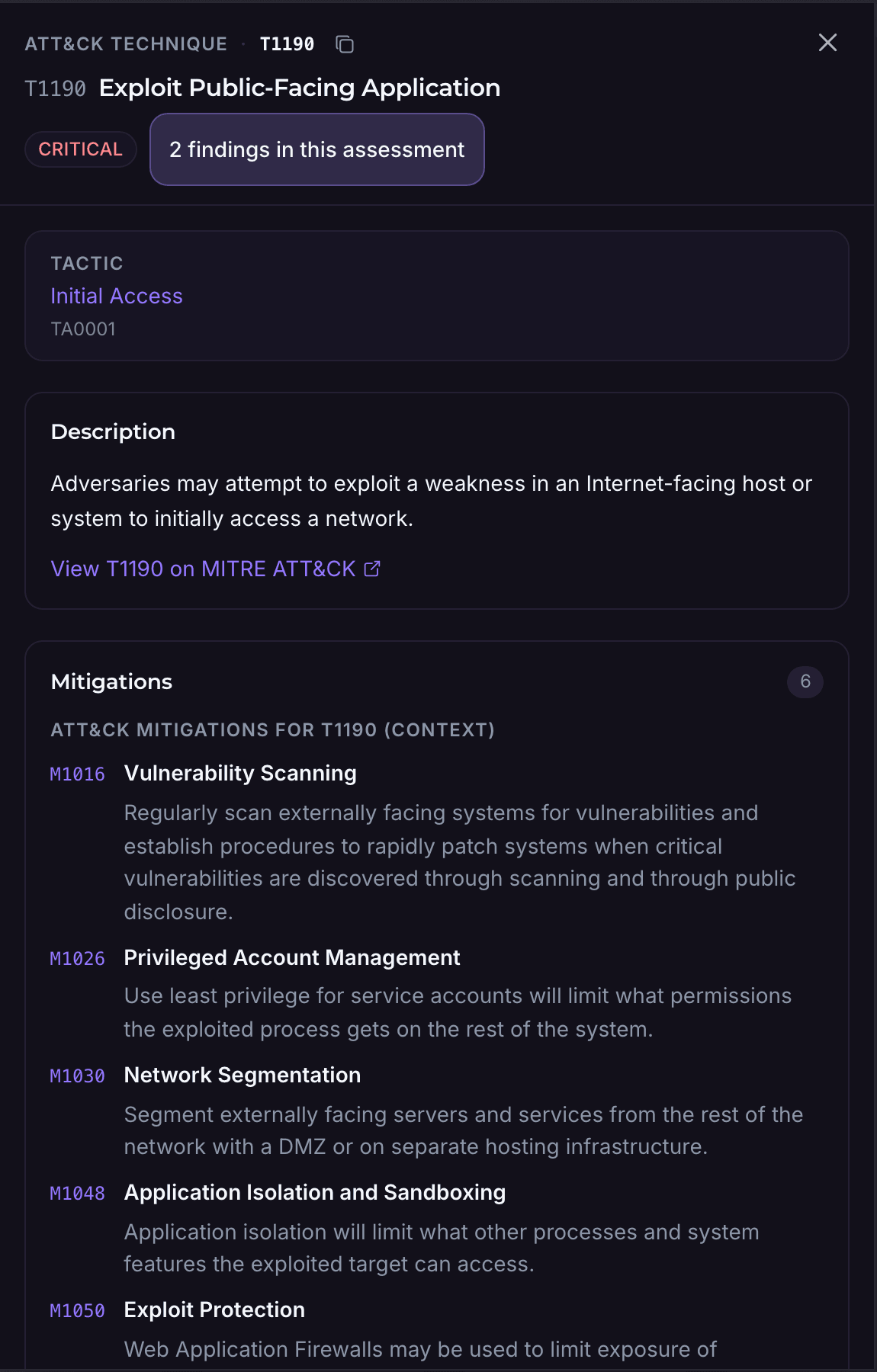
AQIRA's drawer for ATT&CK technique T1190, Exploit Public-Facing Application: its tactic, description and five of MITRE's six mitigations, M1016 to M1050.AQIRA's drawer for ATT&CK technique T1190, Exploit Public-Facing Application: its tactic, description and five of MITRE's six mitigations, M1016 to M1050.
Product UI, demo dataEach technique opens MITRE's description and mitigations, with the findings behind it.

CISA KEV, FIRST EPSS, ATT&CK groups

Threat and dark web intelligence beside your findings

The Threat Intel module beside your findings: EPSS read live from FIRST, then KEV, actors, indicators and exposure records, which show sample data until their feeds are connected.

Threat actor activity by origin

Sample data

  • Origin, sized by documented actors
  • Activity toward your estate
  • Your estate, placed at sea
Origins, by threat activity

Russia

Europe

Threat activity
118
Indicators
176
Documented actors
7

ATT&CK groups observed

  • APT29
  • APT28
  • Sandworm Team
  • Turla
  • Gamaredon Group
  • Wizard Spider
  • Indrik Spider

Sample data from the console's demo workspace. An origin is where activity or infrastructure was observed, which is routinely rented or proxied: context, not attribution.

Read the map as a list
  • United States: 6 actors documented, 318 indicators, 142 threat events. Actors: FIN7, APT29, Scattered Spider, FIN6, Lazarus Group, APT28.
  • China: 5 actors documented, 204 indicators, 128 threat events. Actors: APT41, menuPass, Mustang Panda, Volt Typhoon, HAFNIUM.
  • Russia: 7 actors documented, 176 indicators, 118 threat events. Actors: APT29, APT28, Sandworm Team, Turla, Gamaredon Group, Wizard Spider, Indrik Spider.
  • Netherlands: 1 actor documented, 152 indicators, 74 threat events. Actors: APT29.
  • Iran: 4 actors documented, 58 indicators, 61 threat events. Actors: APT33, OilRig, MuddyWater, Magic Hound.
  • India: 1 actor documented, 124 indicators, 58 threat events. Actors: Sidewinder.
  • Vietnam: 1 actor documented, 74 indicators, 52 threat events. Actors: APT32.
  • Brazil: 1 actor documented, 92 indicators, 49 threat events. Actors: LAPSUS$.
  • North Korea: 3 actors documented, 31 indicators, 44 threat events. Actors: Lazarus Group, Kimsuky, APT38.
  • Nigeria: 1 actor documented, 47 indicators, 40 threat events. Actors: TA505.

Threat intelligence

Exploitation pressure on the CVEs across your findings, with the actors and indicators around them.

  • CISA KEV listings and FIRST EPSS probability on every CVE, KEV-listed first
  • ATT&CK groups whose techniques overlap your findings, with MITRE's mitigations for the overlap
  • Indicators of compromise the assessment observes, and your own, linked to findings and assets
  • The threat geography, filtered by signal, region, volume or actor

Feeds EPSS is read live from FIRST. KEV listings, indicators, actors and the map show sample data until their feeds are connected.
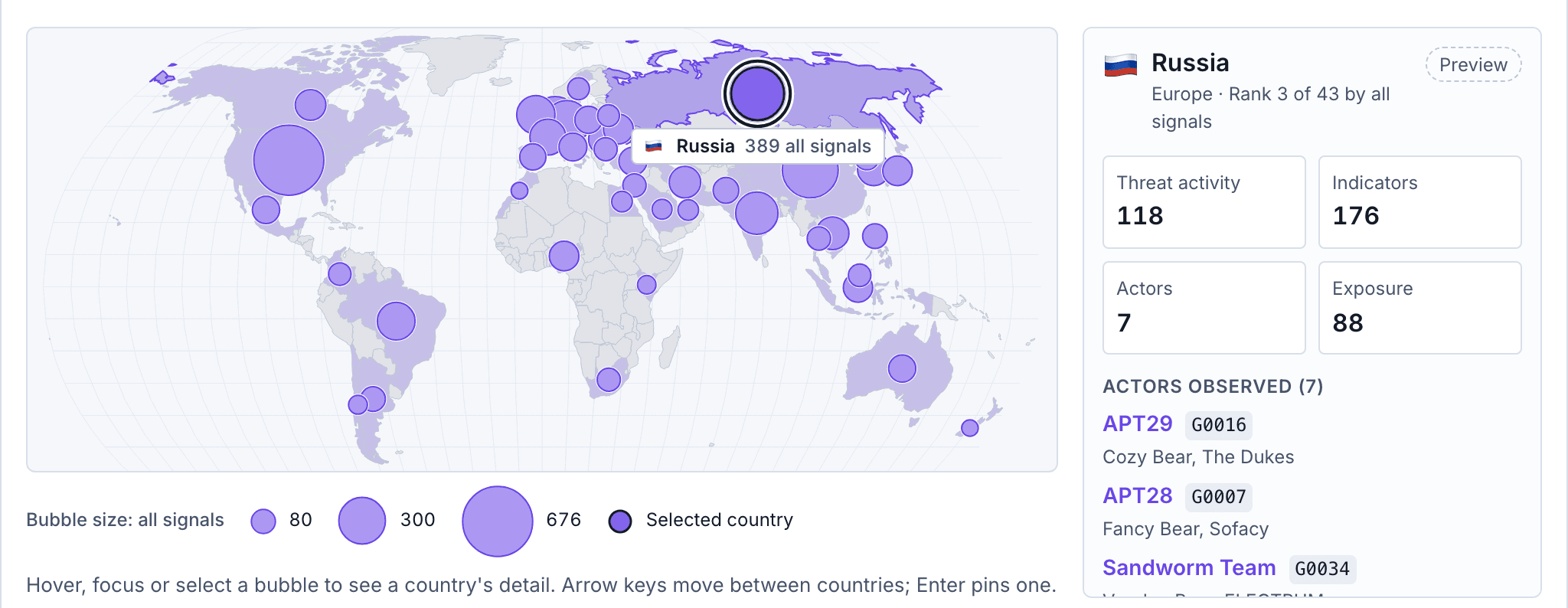
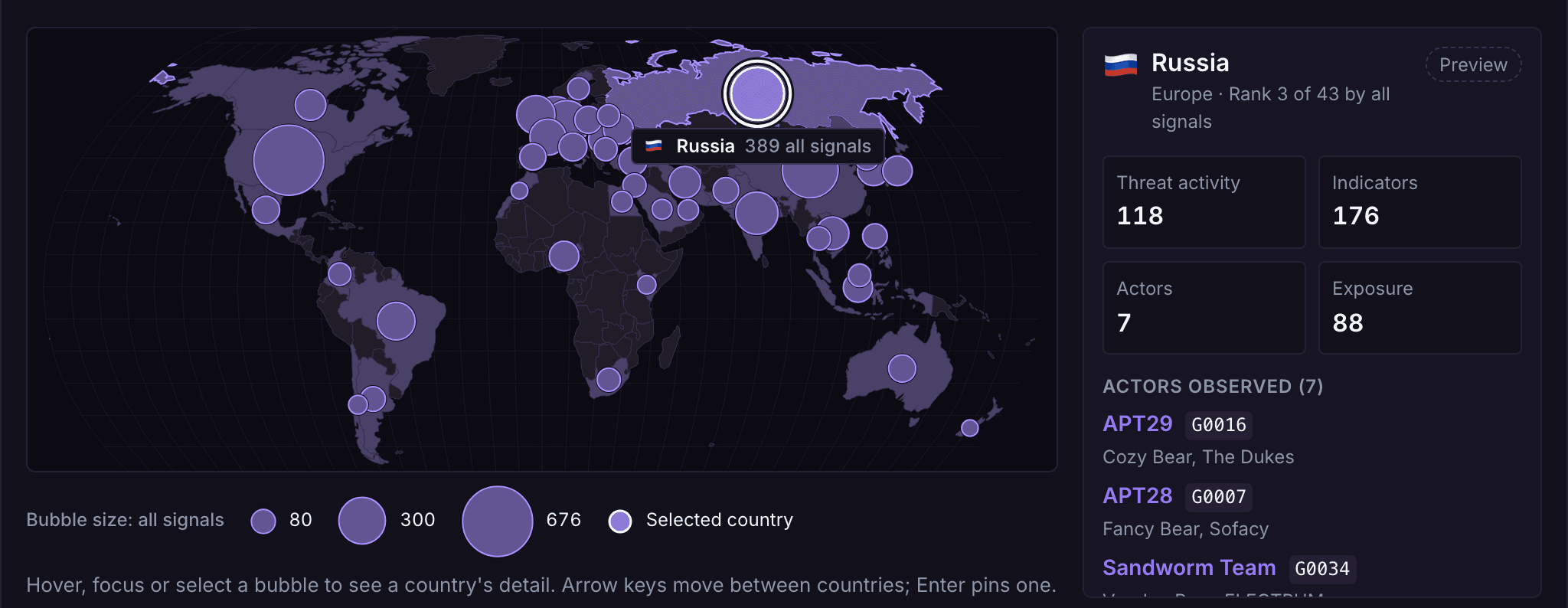
AQIRA's threat geography: a world map with a bubble per country sized by observed activity, and Russia's activity, indicators and ATT&CK groups beside it.AQIRA's threat geography: a world map with a bubble per country sized by observed activity, and Russia's activity, indicators and ATT&CK groups beside it.
Product UI, demo dataThe threat geography in the console, with a country's activity and actors beside the map.

Dark web insights

What is already circulating about your domains and your people, in one Exposure view.

  • Dark-web mentions and forum posts that name your domains
  • Paste-site dumps carrying your addresses or credentials
  • Breach records for mailboxes on your domains
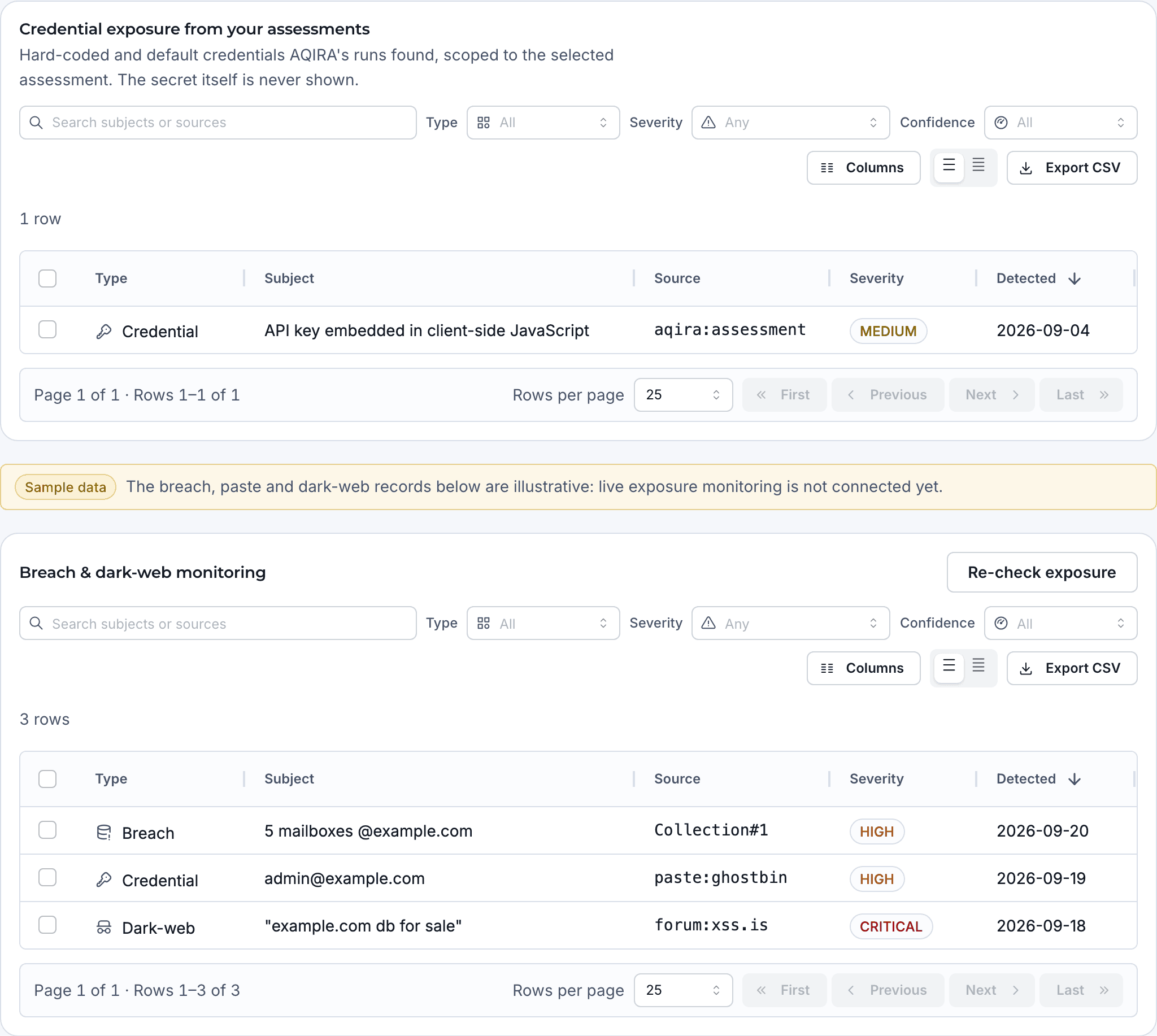
  • Credentials exposed in your estate, found by AQIRA's assessments, the secret itself never shown

Feeds Credential exposure comes from your assessments today. Breach, paste, forum and dark-web records show sample data until live monitoring is connected.

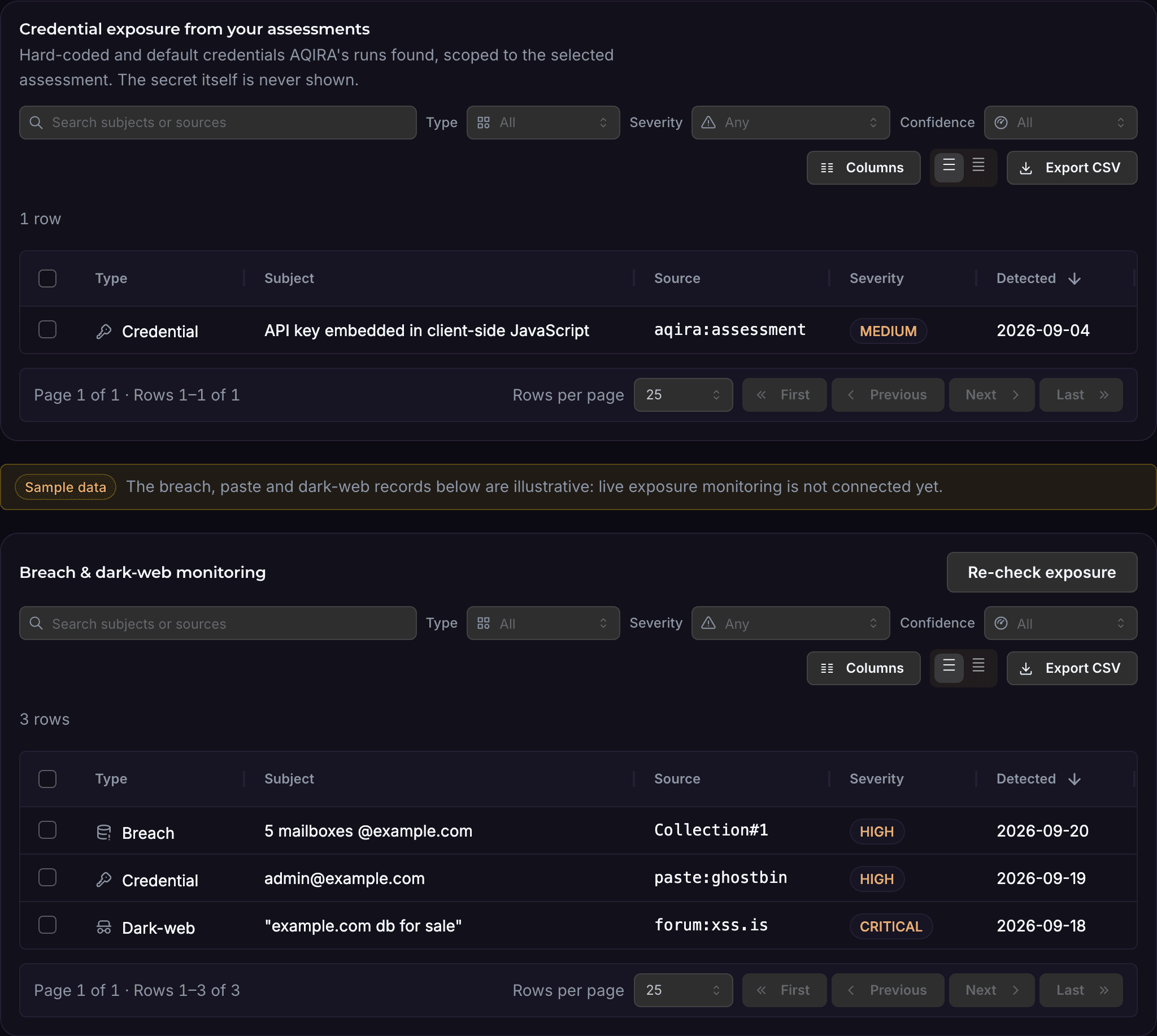
AQIRA's Exposure tab: a credential found by an assessment, a sample data notice, then breach, credential and dark-web records with their source, severity and date.AQIRA's Exposure tab: a credential found by an assessment, a sample data notice, then breach, credential and dark-web records with their source, severity and date.
Product UI, demo dataThe Exposure tab: credentials from AQIRA's assessments, then breach, paste and dark-web records.

Brand intelligence

In development

Not in the console yet. It is being built to find:

  • Lookalike domains, found in certificate transparency logs
  • Typosquat permutations of your domains
  • Profiles impersonating your brand and your executives

12 frameworks, plus OWASP MASVS

Compliance mapping to the frameworks your auditors use

Findings map to named controls in each input's frameworks: OWASP Top 10 on Standard, 8 frameworks on Premium and all 12 on Enterprise, with OWASP MASVS scored by category for Android apps.

12 frameworks, plus OWASP MASVS for Android apps

  • OWASP Top 10Web and general
  • NIST CSF 2.0Web and general
  • NIST SP 800‑53Web and general
  • NIST SP 800‑171Web and general
  • COBITWeb and general
  • CIS AWSCloud
  • CIS AzureCloud
  • CIS GCPCloud
  • CIS Microsoft 365Microsoft 365
  • CISA SCuBA (M365)Microsoft 365
  • CIS Google WorkspaceGoogle Workspace
  • CISA SCuBA (GWS)Google Workspace
  • OWASP MASVSAndroid apps
  • Named controls

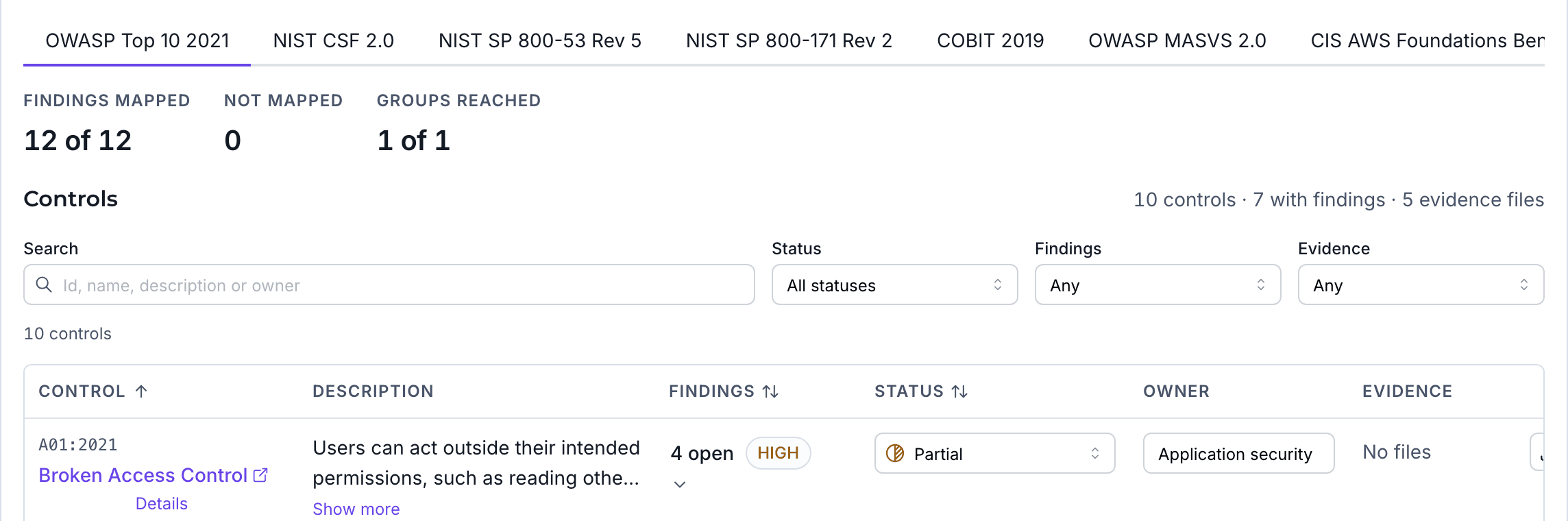
    A finding lands on named controls: the SQL injection above maps to A03:2021, PR.PS-06, SI-10 and 3.14.1.

  • Status, owner and evidence

    Each control is marked implemented, partial or not implemented, with an owner and attached evidence files.

  • One finding, every framework

    One finding appears in every framework that applies to its input, with one body of evidence behind it.

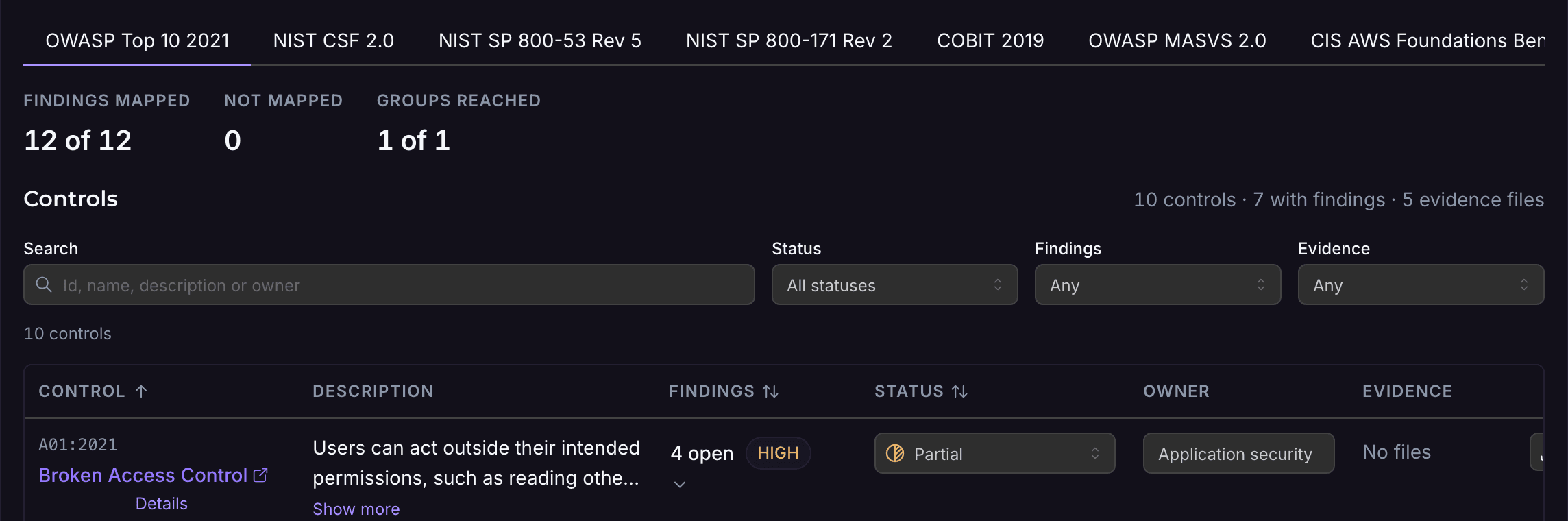
An AQIRA assessment's compliance controls for OWASP Top 10 2021: findings mapped, and a control with its open findings, status, owner and evidence.An AQIRA assessment's compliance controls for OWASP Top 10 2021: findings mapped, and a control with its open findings, status, owner and evidence.
Product UI, demo dataThe controls of one framework for a demo assessment, with tabs for the others above.

8 templates, 4 export formats

Penetration test reports a client can sign off

8 templates and 4 export formats, written from the evidence the console shows, with a sample report to download. Standard has 2 templates, Premium 5 and Enterprise all 8.

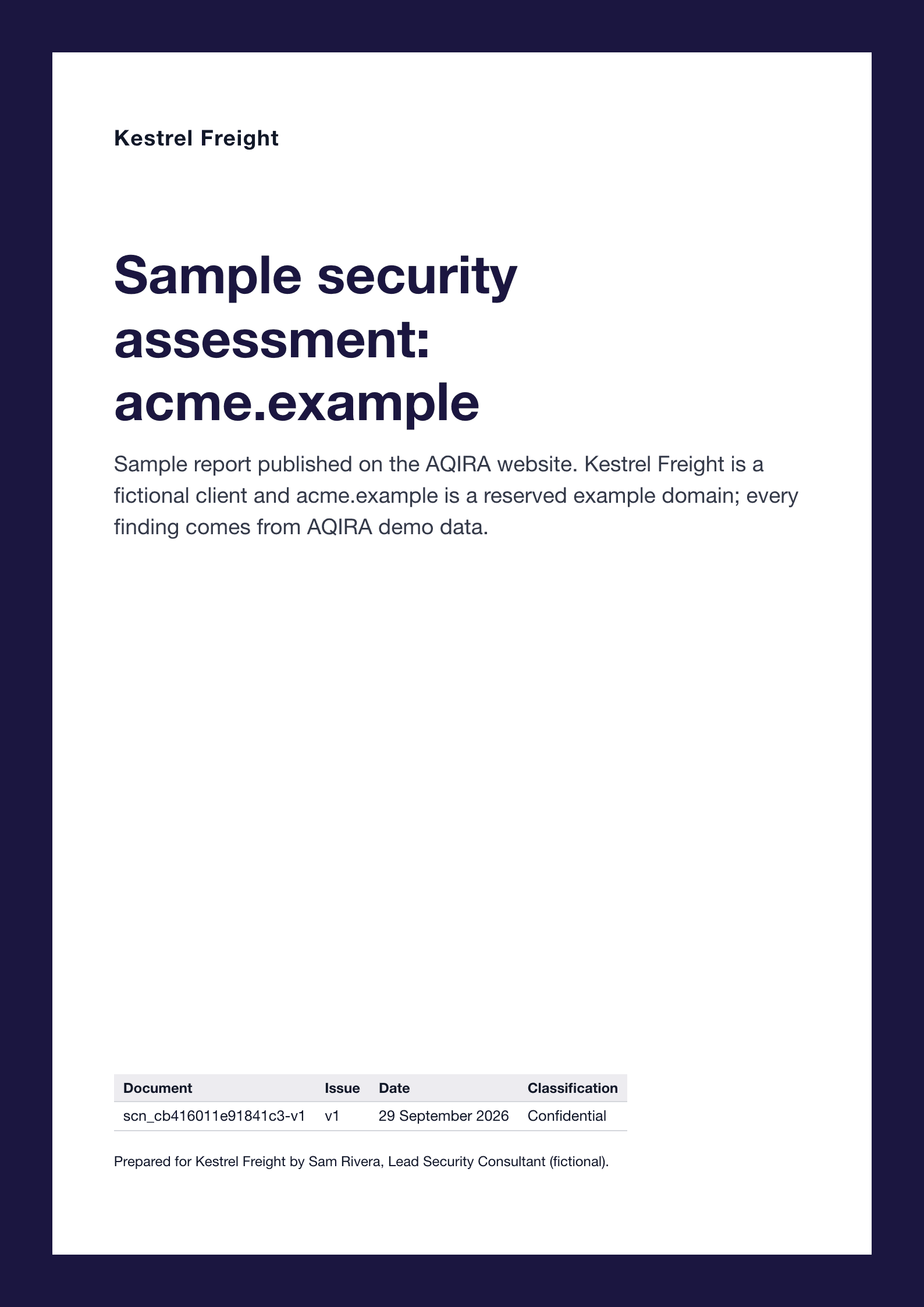
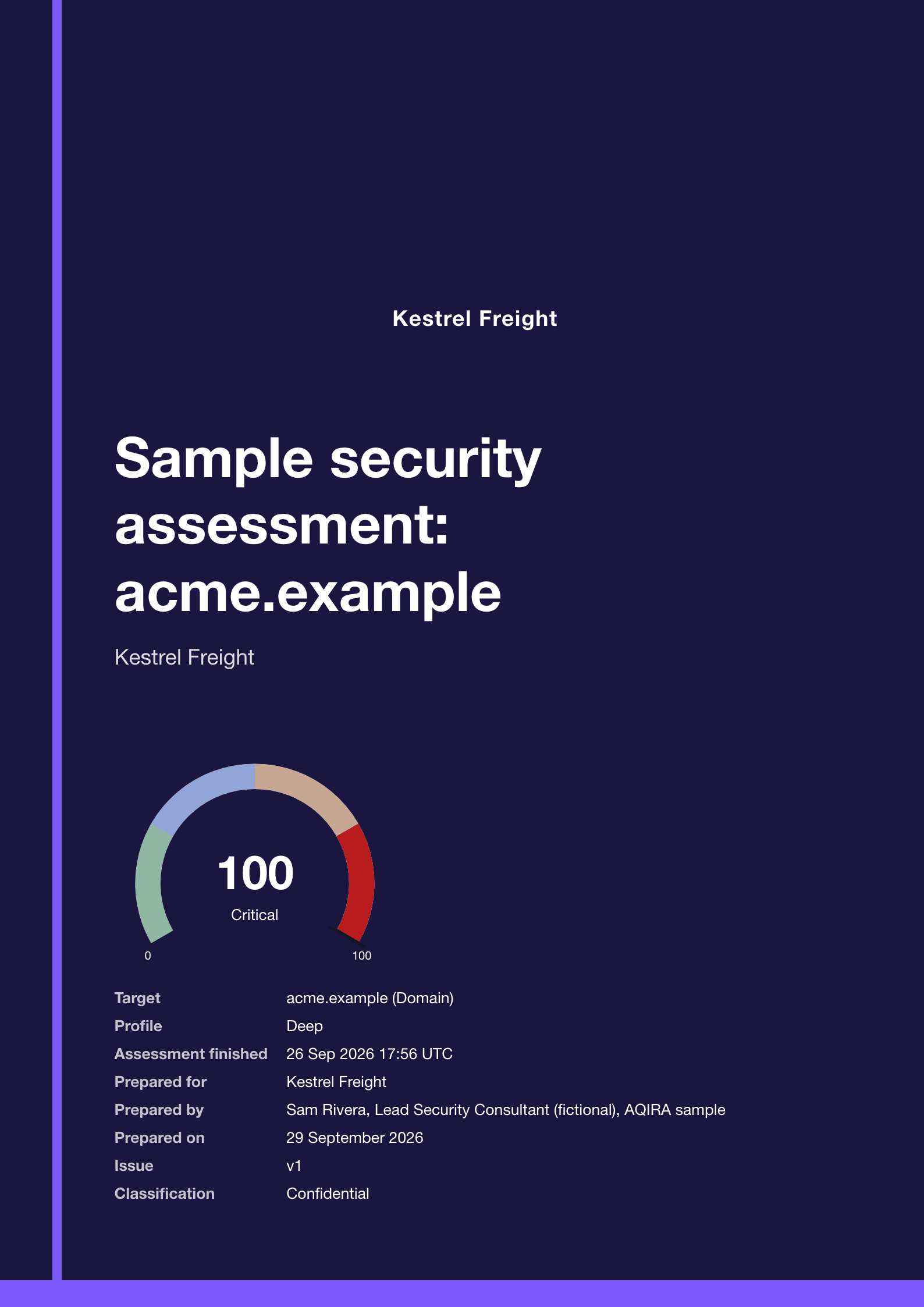
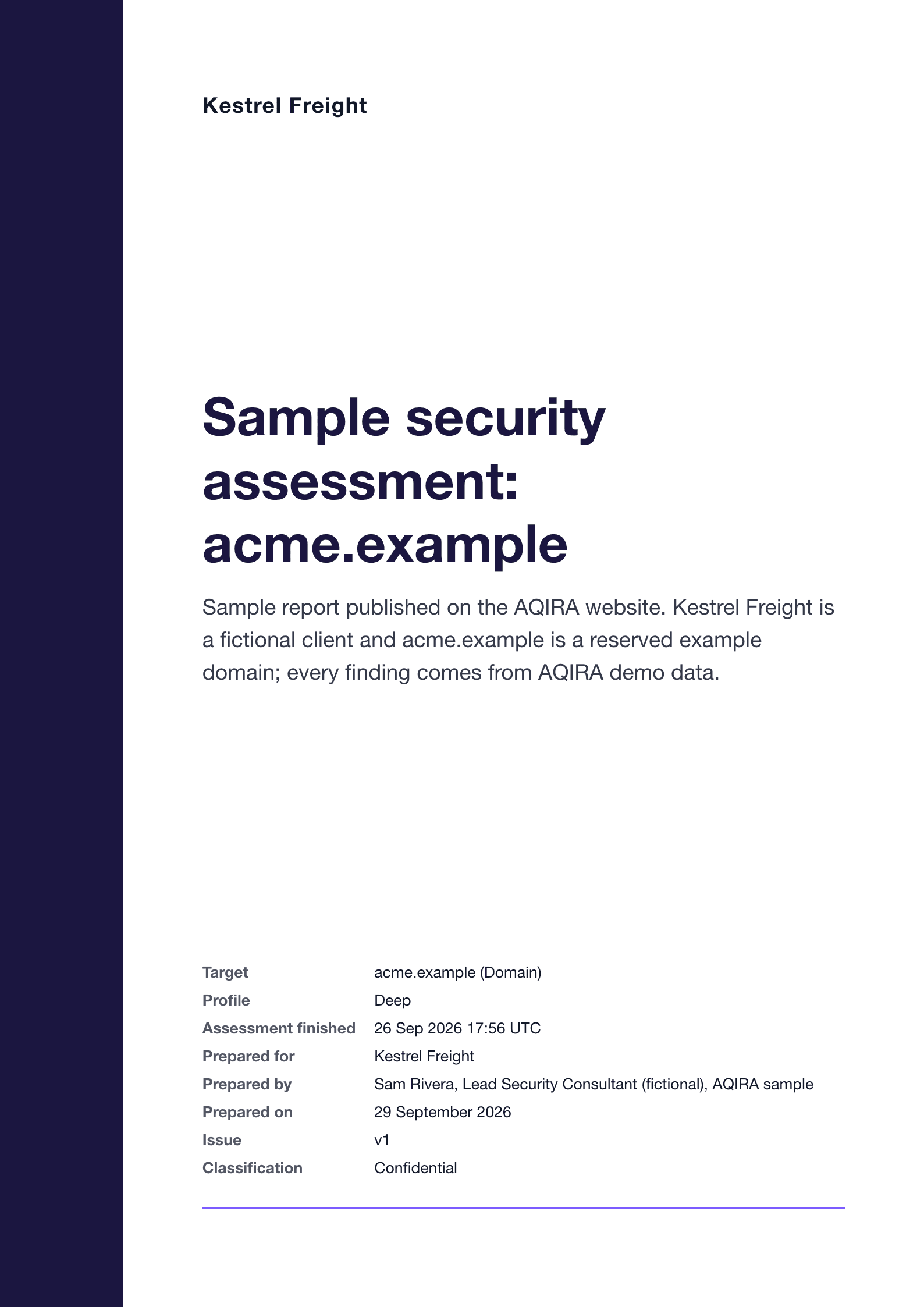
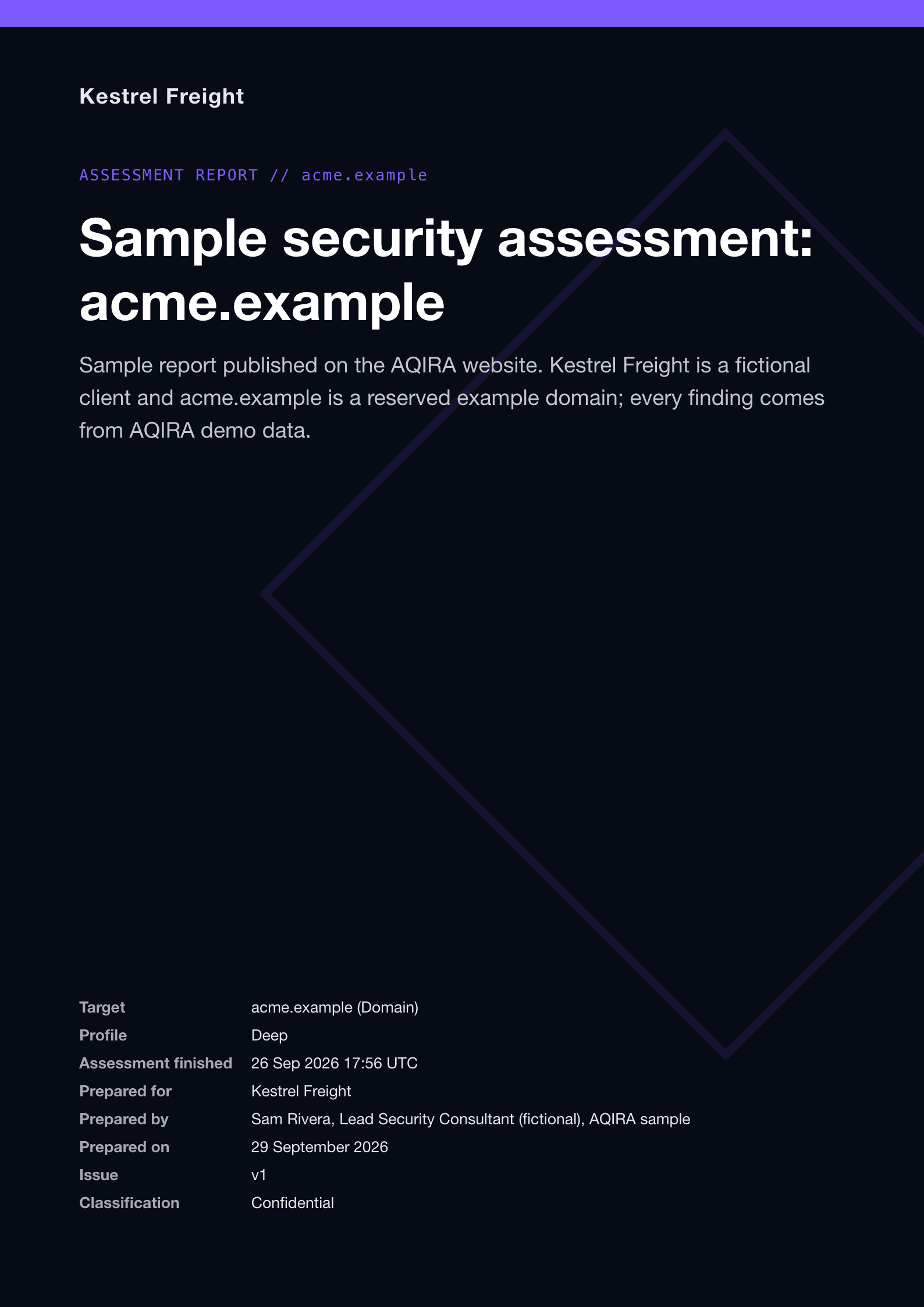
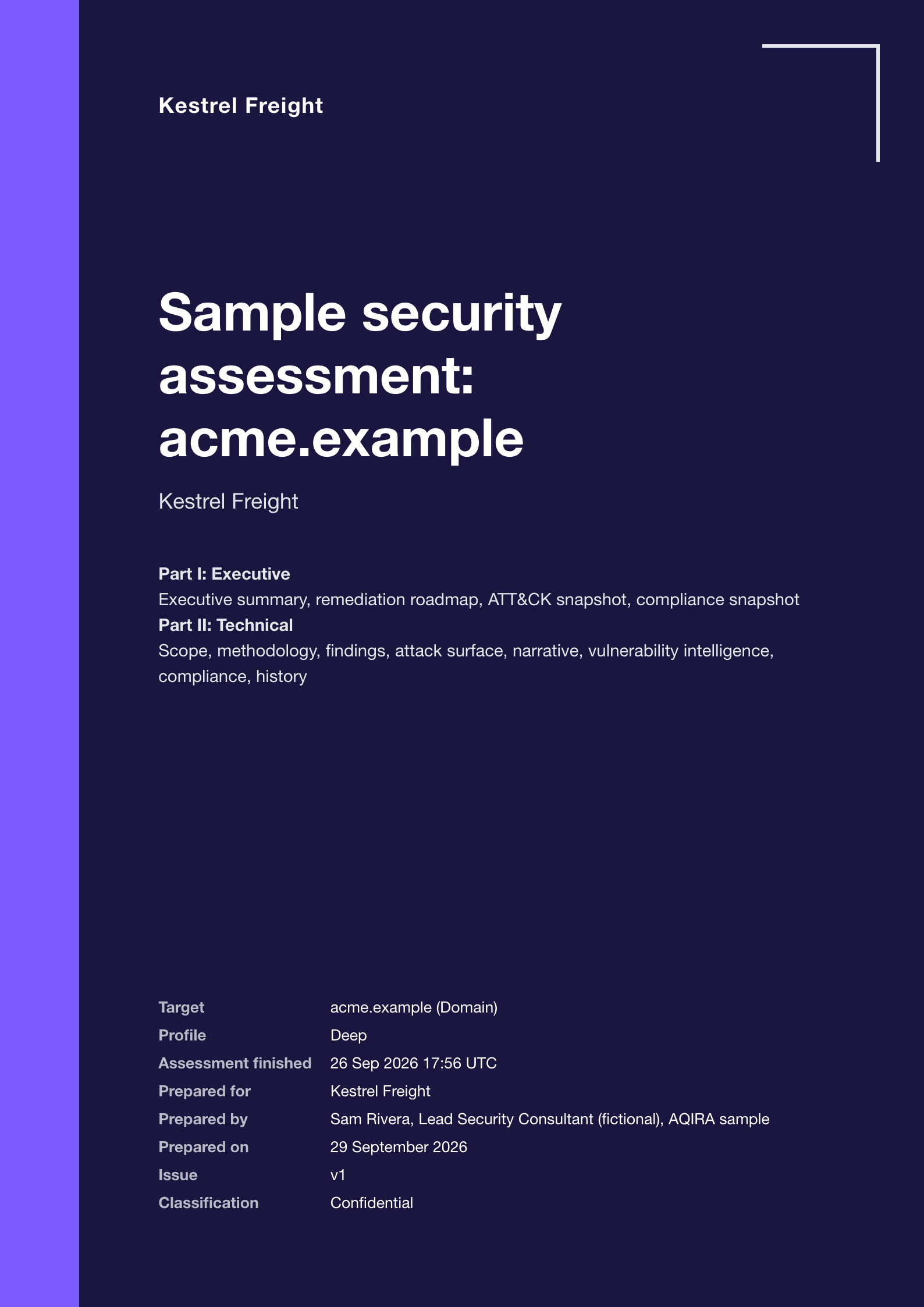
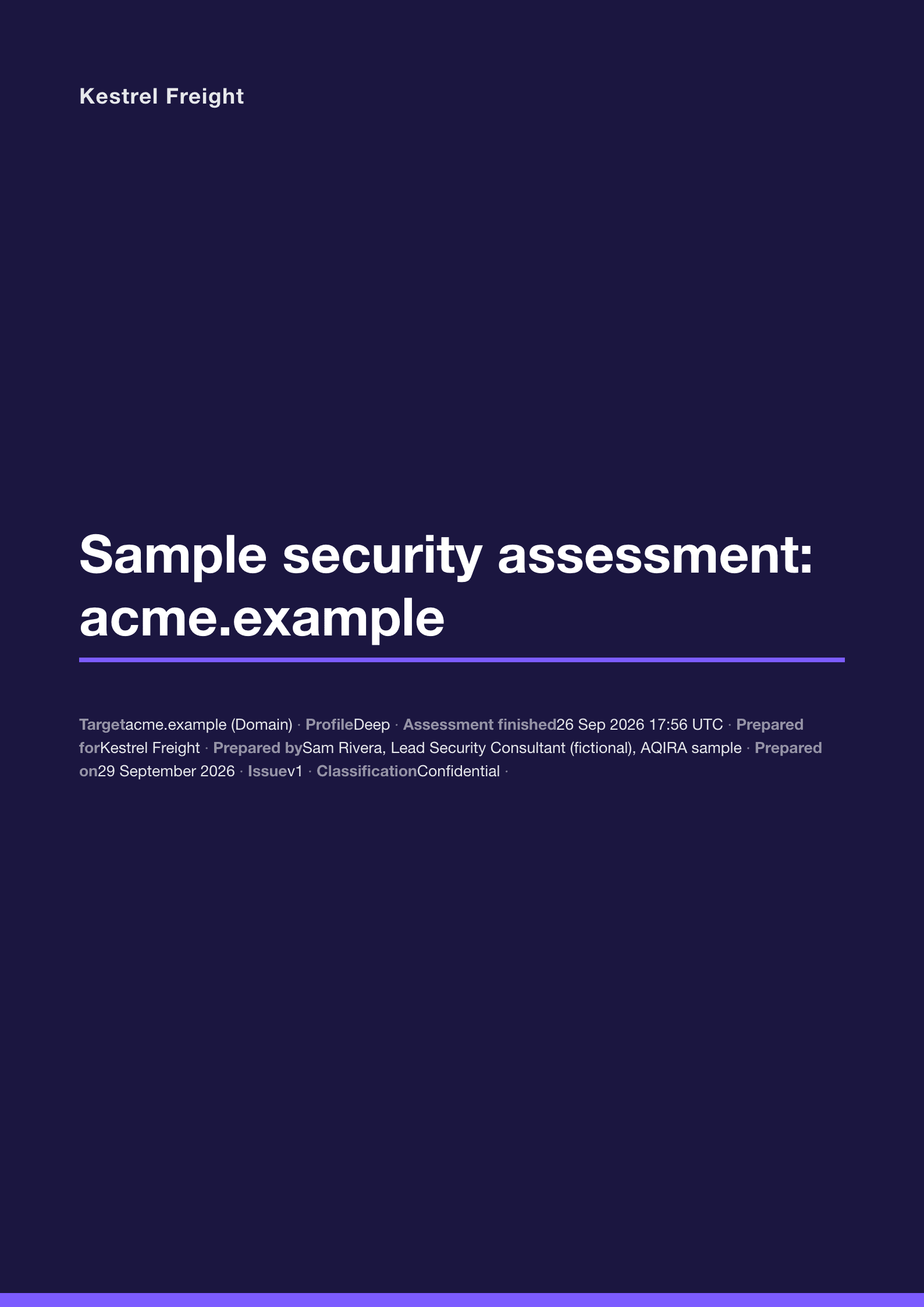
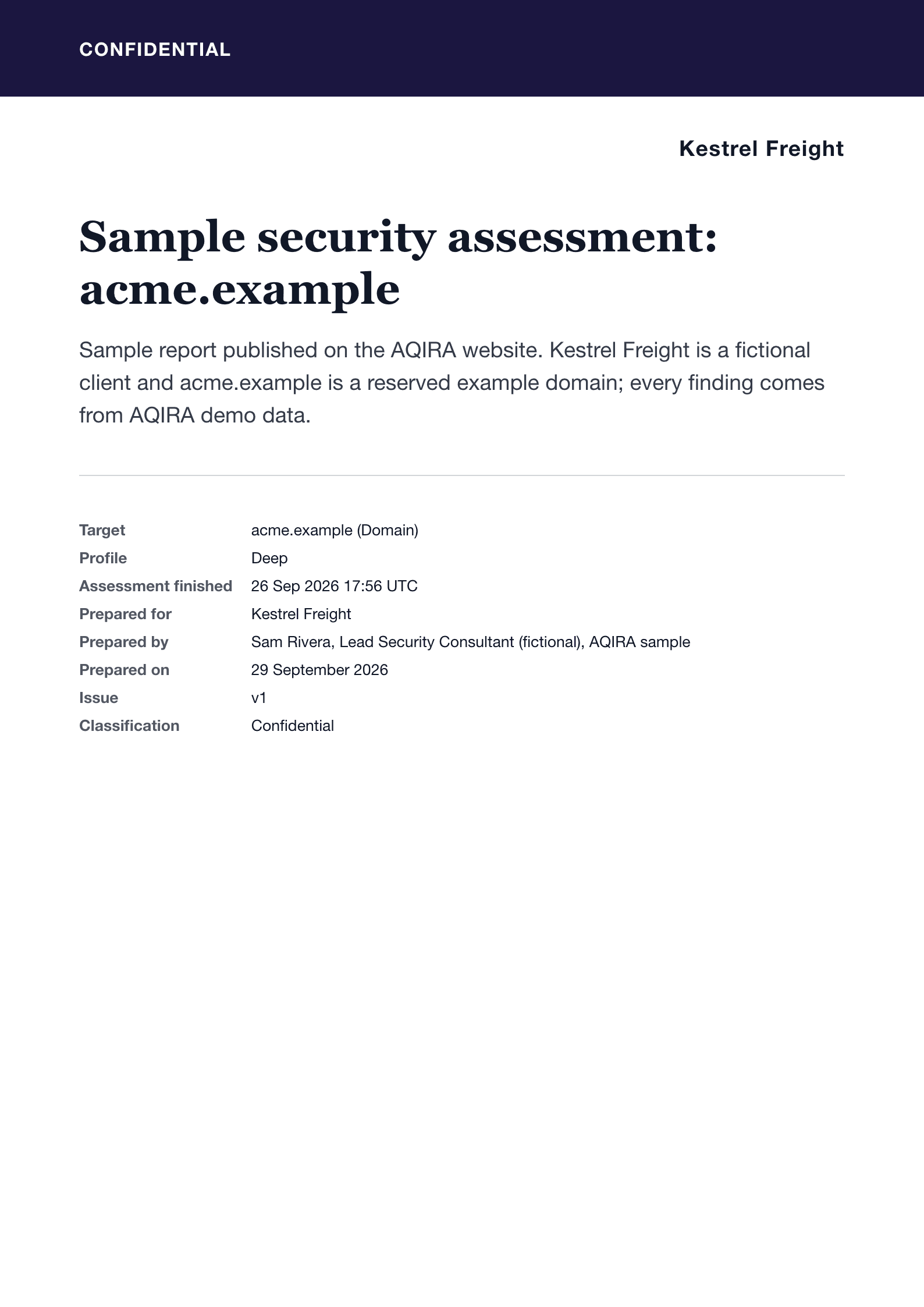
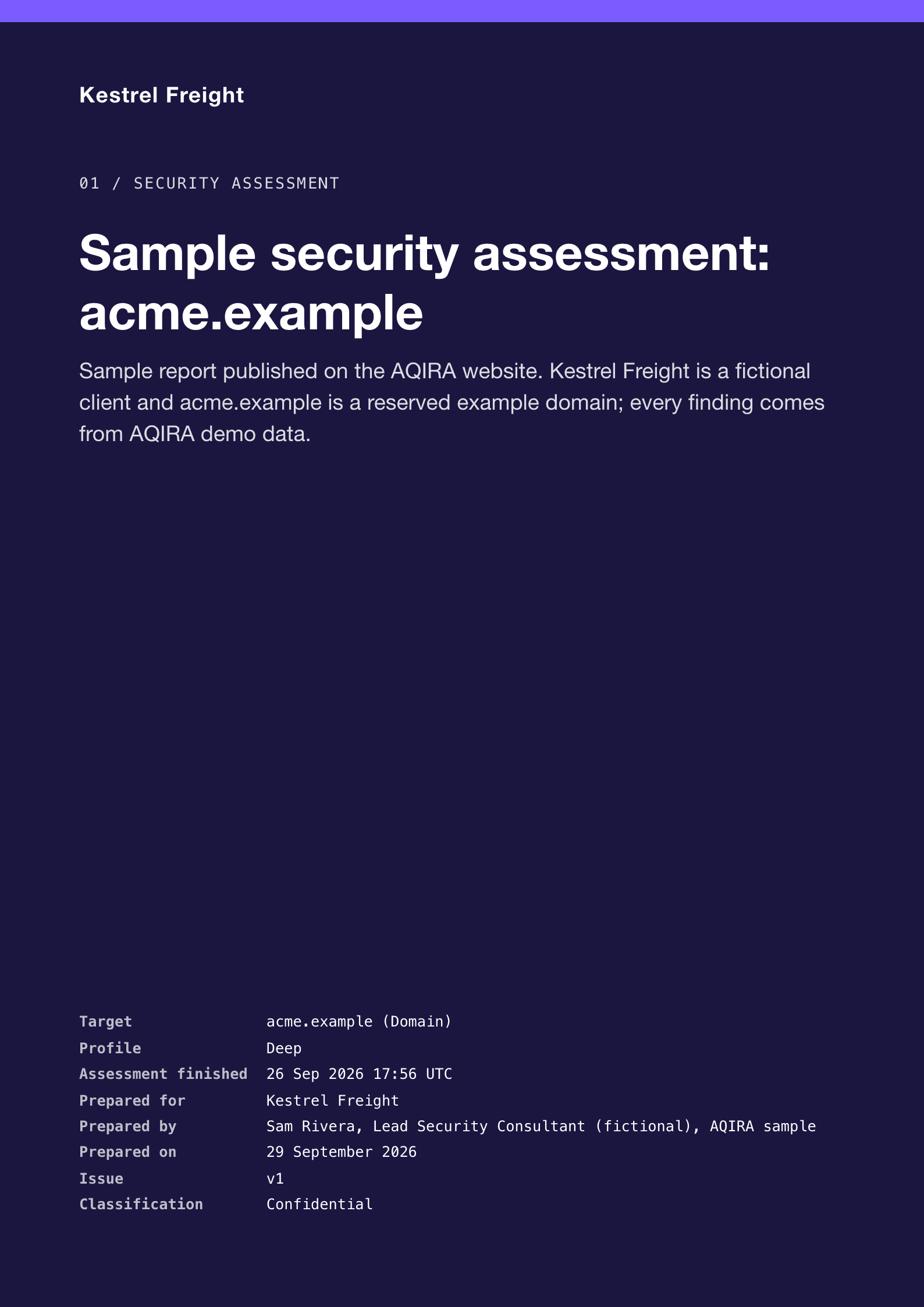
The cover of an AQIRA report in the Executive Cyber template: the title, then Part I Executive and Part II Technical contents.

Executive Cyber

For the CISO and peers first, handing off to engineering in a technical Part II.

4 export formats

  • HTMLOpens in any browser, with a linked table of contents.
  • PDFPrint-ready A4, with running headers and page numbers.
  • JSONThe whole dataset: findings, evidence, mappings and scores.
  • CSVOne row per finding, for spreadsheets and trackers.

Sample report

PDF, Executive Cyber template. A fictional client, Kestrel Freight, and the acme.example demo assessment.

Download a sample reportPDF, 3.1 MB

Product UI, demo data. Covers rendered by the AQIRA report engine for a fictional client.

Risk across every input, in one view

The dashboard's portfolio score, what drives it, how it moved and which reports are ready, on Premium and Enterprise.

Portfolio risk89/100

CriticalAcross 23 scored targets

Risk over time

27 Aug to 29 Sep, 33 days
View as table
Portfolio risk score by day
DateScoreBandTargets
27 Aug100Critical1
3 Sep100Critical2
4 Sep100Critical3
5 Sep100Critical3
11 Sep81Critical4
12 Sep80Critical4
13 Sep74Elevated4
14 Sep79Critical5
19 Sep79Critical7
20 Sep77Critical7
23 Sep77Critical7
26 Sep80Critical8
27 Sep82Critical9
28 Sep89Critical23
29 Sep89Critical23

What drives the score

Findings from each latest assessment, weighted by severity
  • Critical850 pts32%
  • High1,308 pts49%
  • Medium440 pts16%
  • Low70 pts3%

Demo data from the AQIRA dashboard

AQIRA consoleDashboardProduct UI, demo data
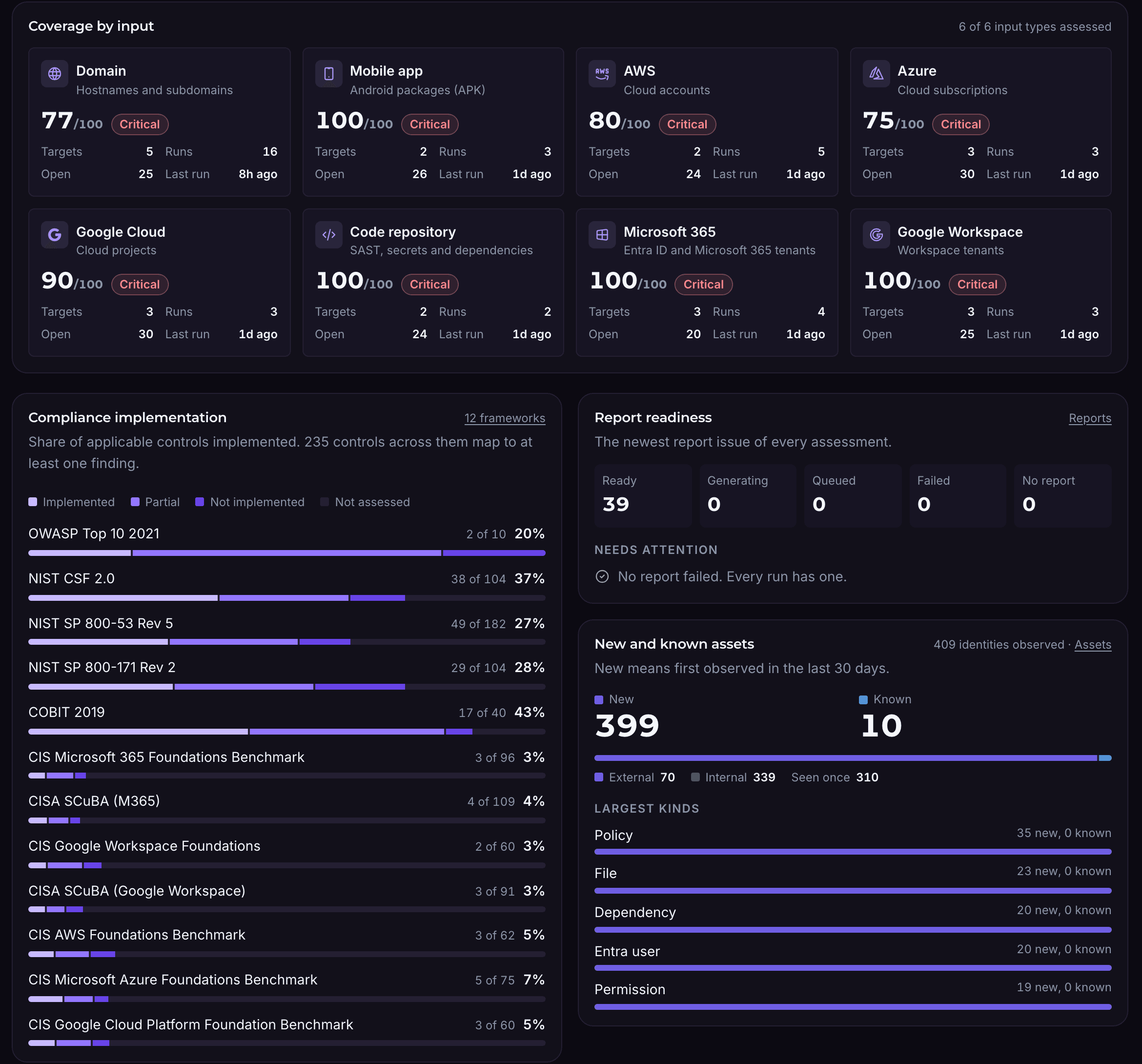
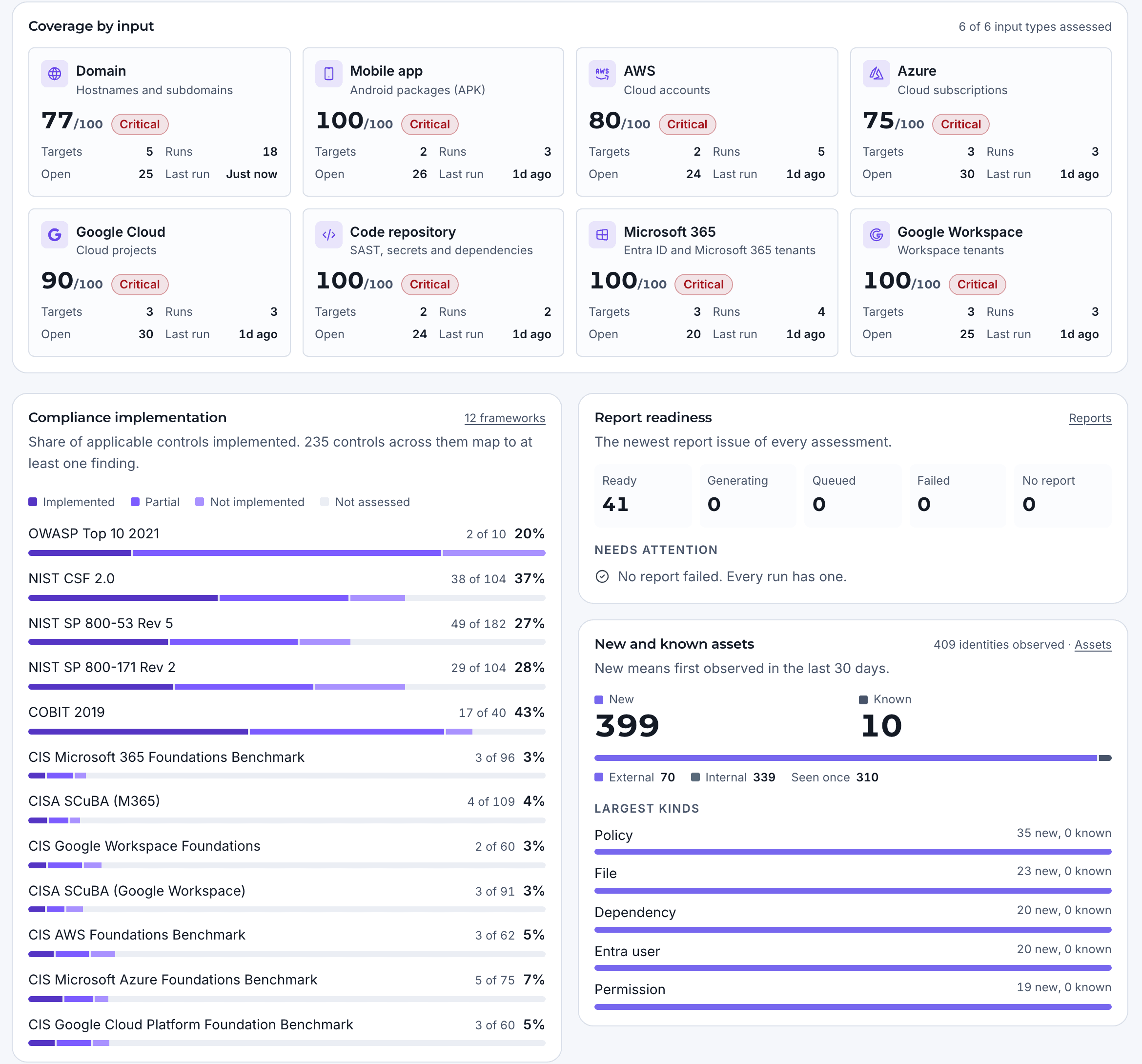
The AQIRA dashboard's coverage by input for all six input types, compliance implementation across 12 frameworks, and report readiness.The AQIRA dashboard's coverage by input for all six input types, compliance implementation across 12 frameworks, and report readiness.
  • One score for every input

    Each target is scored from its latest completed assessment; the portfolio averages them across every input.

  • What drives it

    Findings weighted by severity, showing whether the criticals or the volume of highs move the number.

  • How it moved

    The score for every day: a fix, a new target or a regression shows where it happened.

  • What is ready to send

    Report readiness for every assessment, and coverage by input.

SSO, audit trail, schedules, collectors, vault

Built to sit inside a security programme

Each tile is a control the console has today, with a crop of the screen behind it.

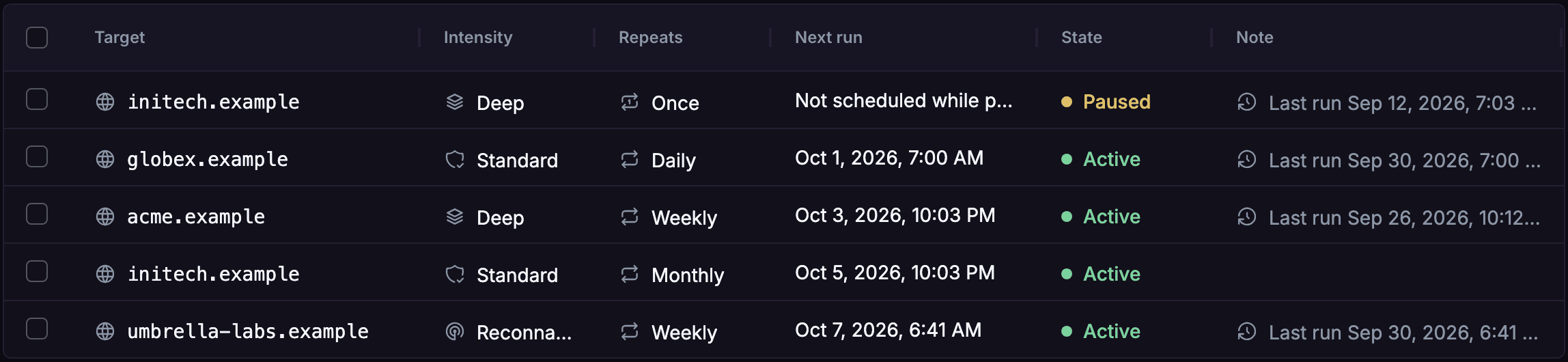
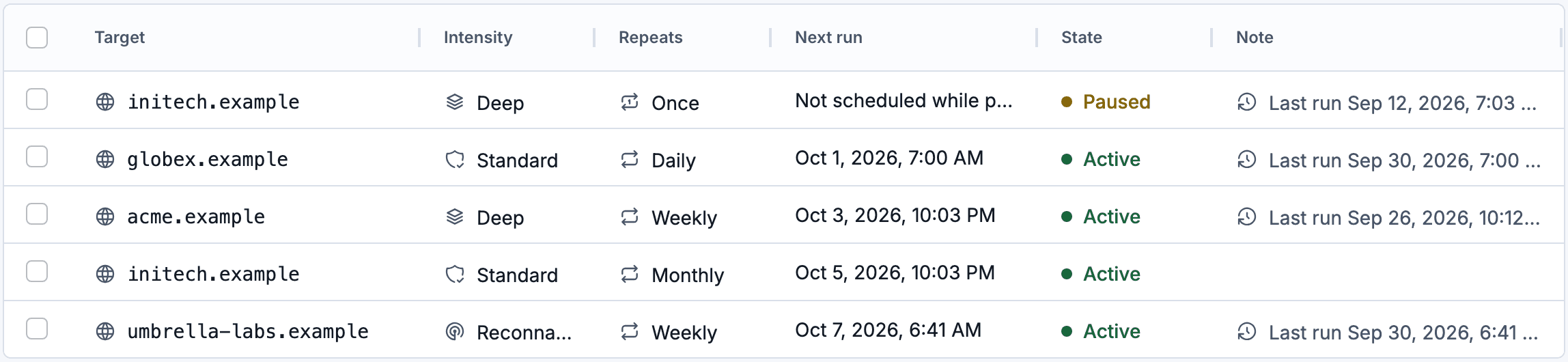
  • Once, daily, weekly or monthly

    Assessments on a schedule

    A domain, cloud account, repository or workspace tenant can run on a schedule, reusing the stored connection and the same budget as a manual assessment. An Android package needs a fresh upload for every run, so it is rescanned from its assessment instead. The plan sets how often: monthly on Standard, weekly on Premium, daily on Enterprise.

    Product UI, demo data
    AQIRA's Schedules table: five targets with their intensity, how often each repeats, the next run and whether it is active or paused.AQIRA's Schedules table: five targets with their intensity, how often each repeats, the next run and whether it is active or paused.
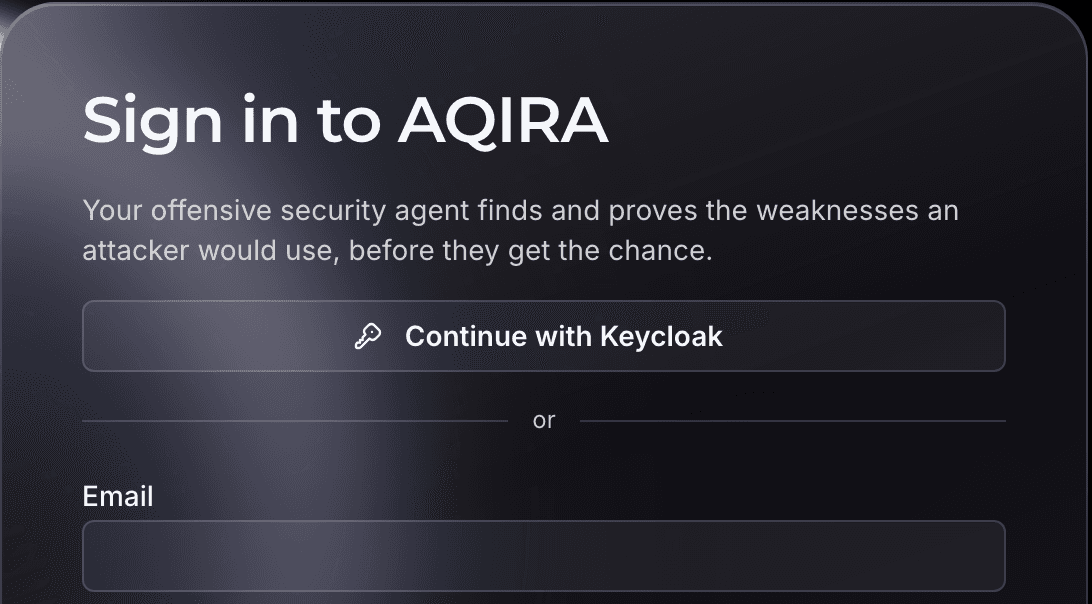
  • OpenID Connect

    Single sign-on

    On Enterprise, people sign in through your own identity provider. The console checks the ID token's signature, issuer, audience and expiry, and requires a verified email address.

    Product UI, demo data
    The AQIRA sign-in card with a Continue with Keycloak button for single sign-on above the email field.
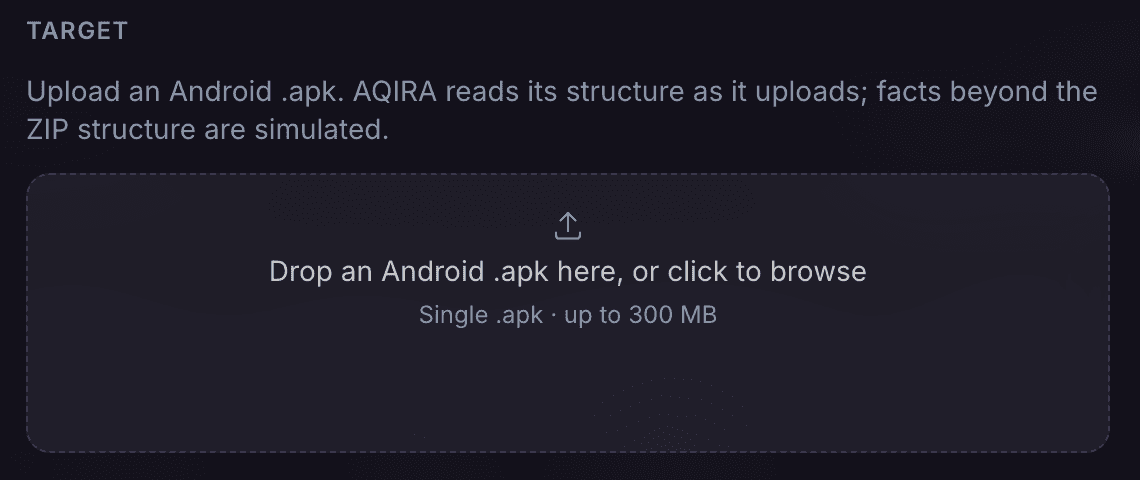
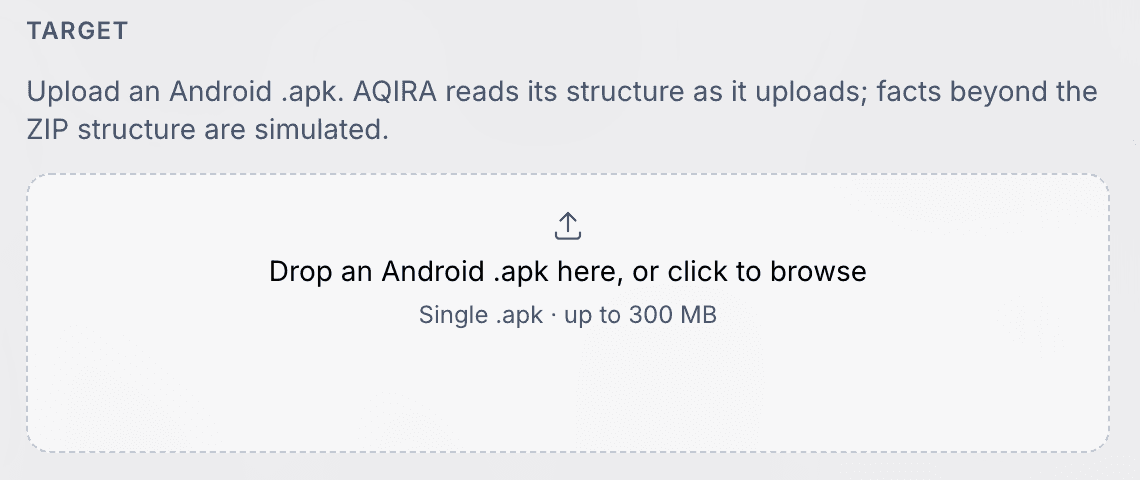
  • Hashed, never stored

    The vault

    Uploads are hashed and checked as they stream in, and are never stored or run. Credentials are digested, so the console never shows a secret back.

    Product UI, demo data
    The Android package upload in AQIRA's New assessment dialog, which reads the package's structure as it uploads.The Android package upload in AQIRA's New assessment dialog, which reads the package's structure as it uploads.
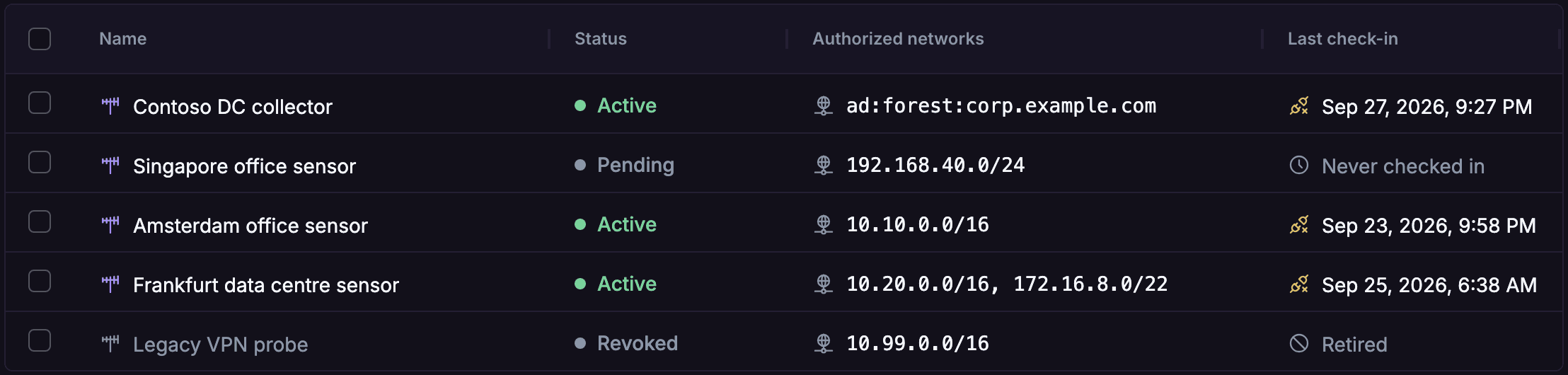
  • Private ranges you authorise

    Collectors for internal networks

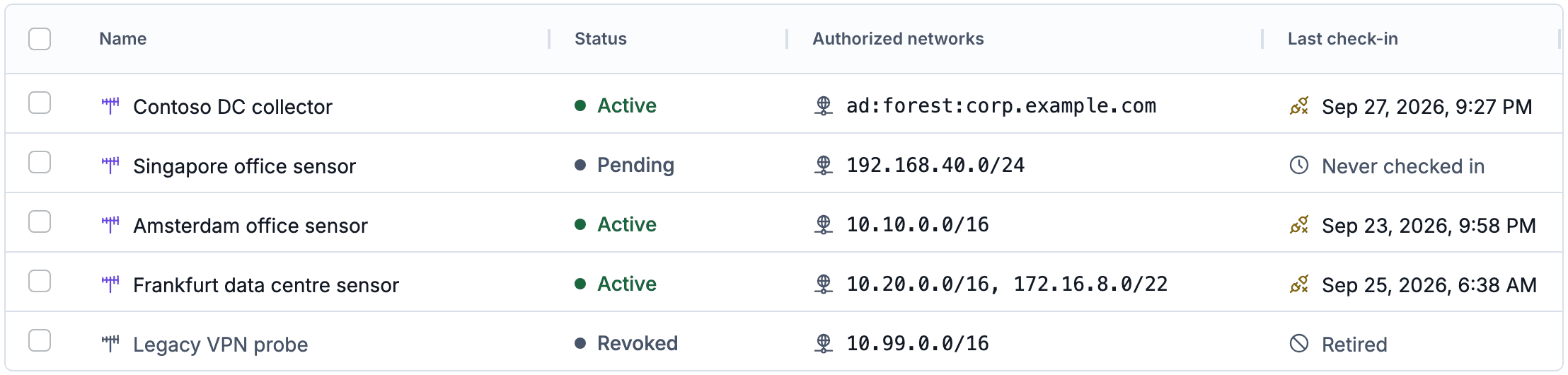
    A collector inside your network brings assets the internet cannot reach into the inventory. It reports only on the private ranges you authorise; anything outside is refused.

    Product UI, demo data
    AQIRA's Collectors table: each collector's status, the private networks it is authorised for, and when it last checked in.AQIRA's Collectors table: each collector's status, the private networks it is authorised for, and when it last checked in.
  • Who did what, and when

    Audit trail

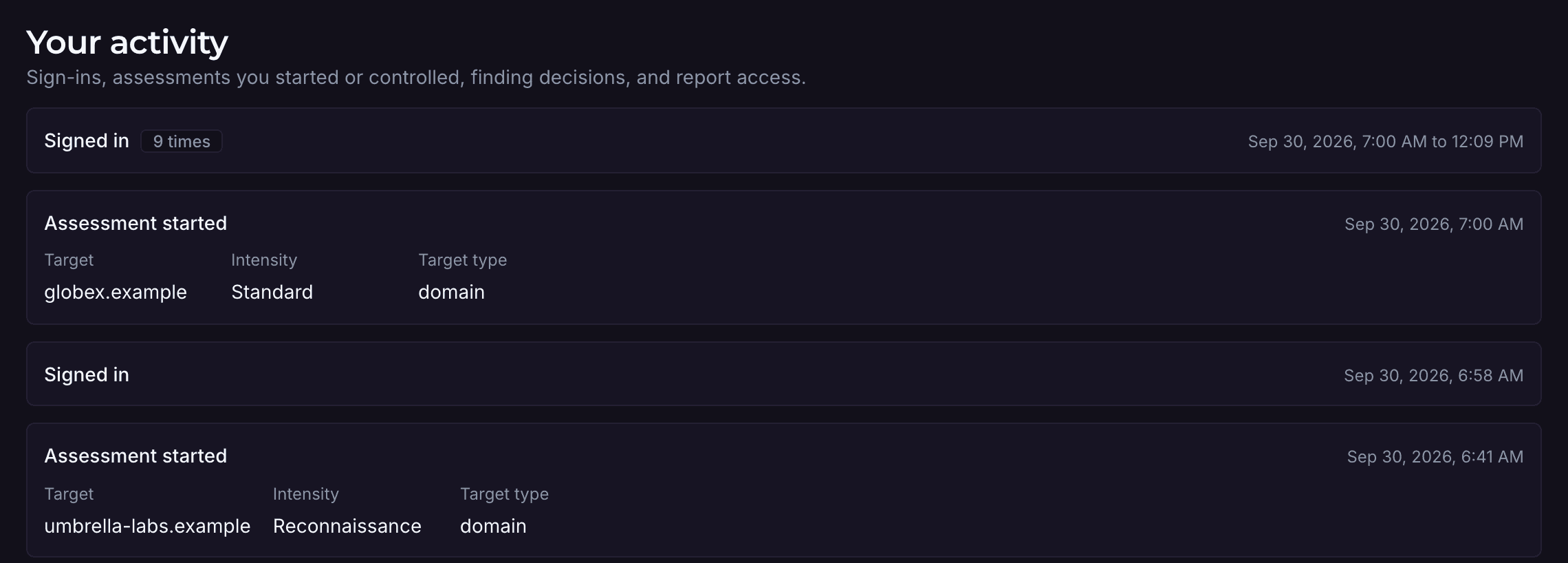
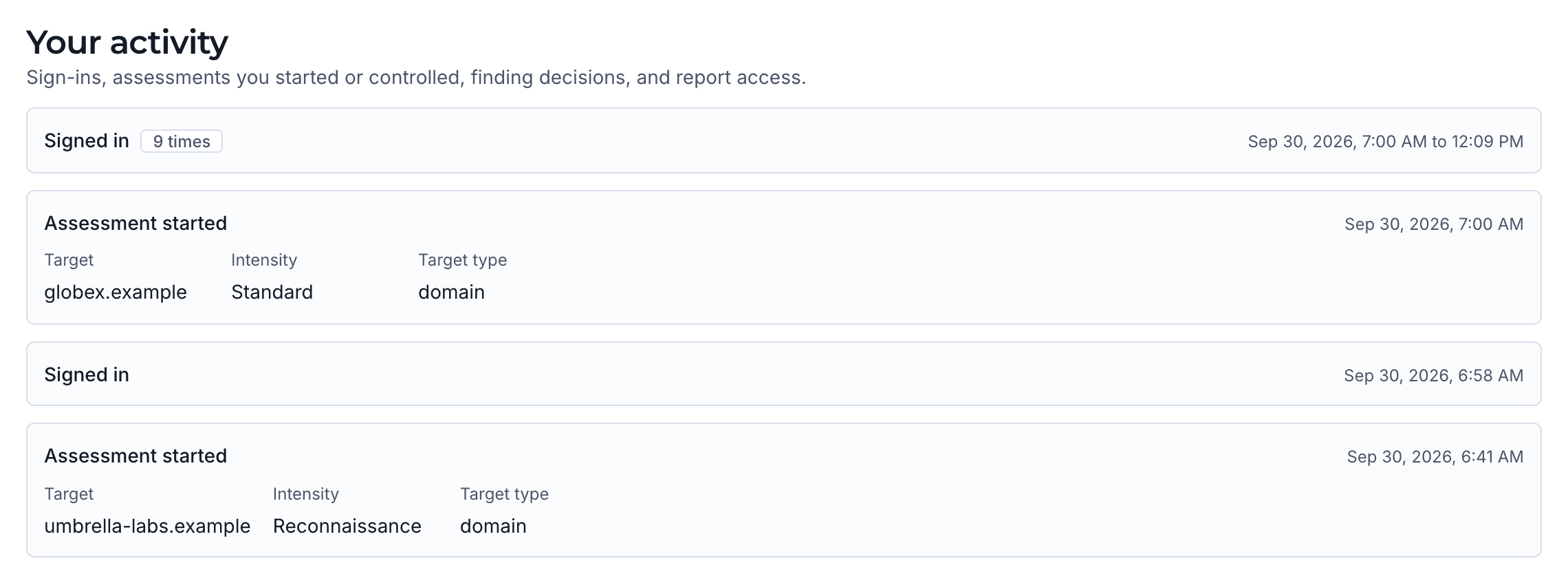
    Sign-ins, assessments started, paused, resumed or cancelled, finding decisions and report downloads are recorded against the person. Each person sees their own history; administrators see everyone's.

    Product UI, demo data
    The activity list on AQIRA's Account screen: sign-ins and assessments started, each with its target, intensity and time.The activity list on AQIRA's Account screen: sign-ins and assessments started, each with its target, intensity and time.

How uploads, credentials and evidence are handled is set out on the security page.

Next step

A demo of the platform

A demo runs one assessment in the console, with demo data: the agents at work, the evidence behind each finding, and the report.